
Ideation and Research
Overview
Research Statement
As a user researcher, I want to learn about why some Twitch streamers struggle to gain viewers and followers. Our goal is to uncover these streamers’ experiences by interviewing them. We want to understand their mental model prior, during, and after streaming to uncover common experience patterns.
Further prompting led to Copilot generating personas and survey questions.
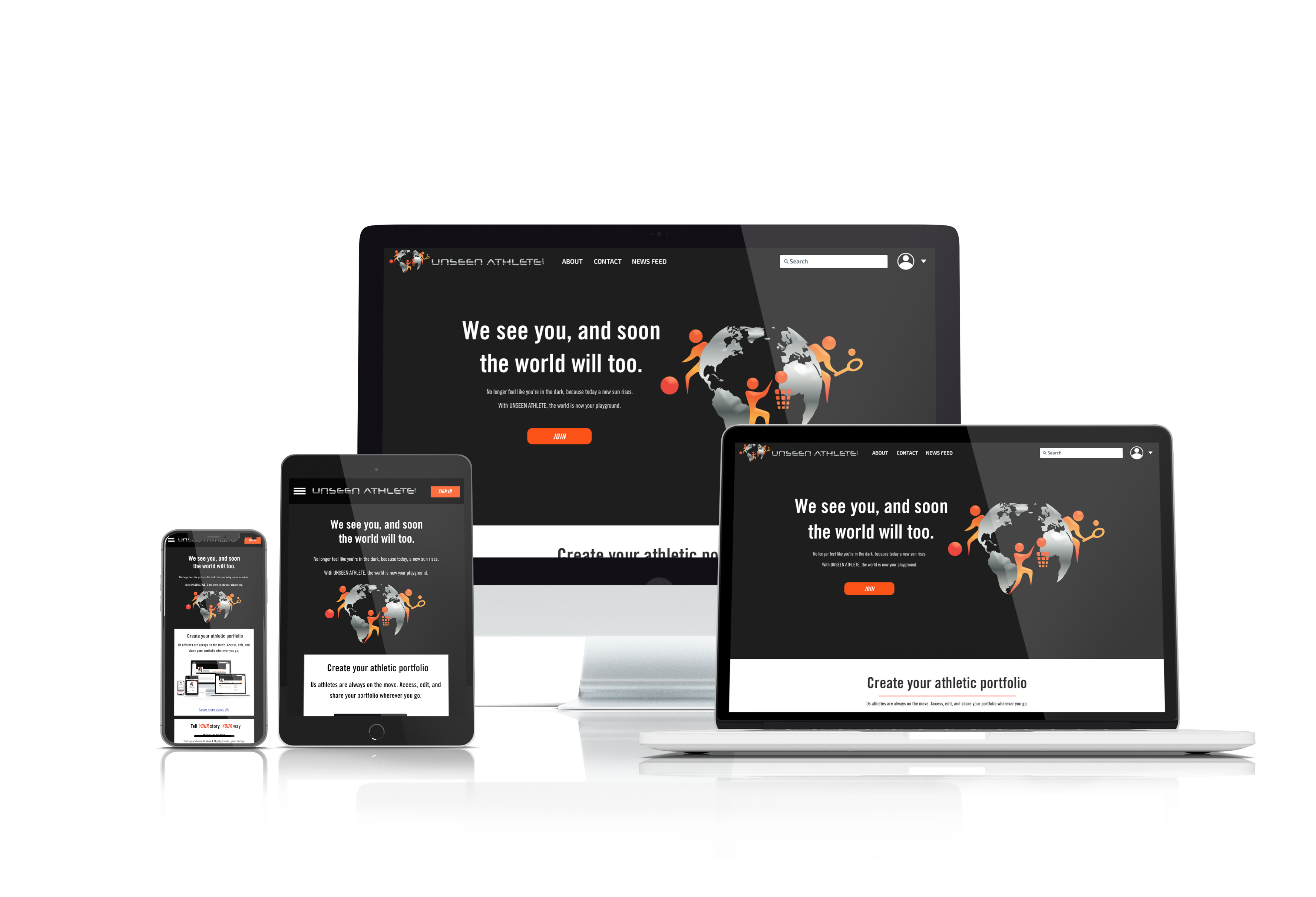
Unseen Athlete is a website that is meant to help athletes gain recognition. It is both a social media platform and a news website. Our UX and UI team worked with Unseen Athlete to deliver a modern responsive website that allows athletes to connect with coaches, talent scouts, as well as each other, while also providing news about the athletes featured on the website.
Proto-Persona: Leo
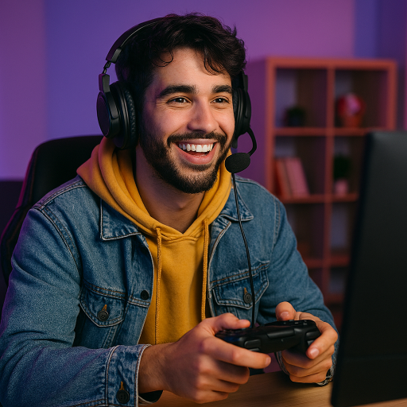
- Age: 25
- Streaming Niche: Everything from horror games to cooking
- Streaming Schedule: Sporadic
- Motivation: Creative expression
- Pain Points:
- Inconsistent branding confuses potential followers
- Hard to build momentum
- Mental Model: “I want to be free to stream what I love, but I worry that I’m too unpredictable.”
Insights
- Many smaller streamers appear to stream irregularly, which limits channel growth.
- Most Twitch streamers stream video games but have trouble attracting or retaining viewers.
- Many Twitch streamers don’t promote on other platforms.
Methods
- Generated questions and personas using Copilot with the research statement as the prompt.
- Asked Twitch streamers those questions and gained key insights.
- Research was mostly attitudinal, with both qualitative and quantitative elements.
Competitive Analysis
- What are some AI tools that would help Twitch streamers grow their channel?
- If you’re just starting out, I’d recommend focusing on highlight clipping (Eklipse) and chat engagement (Streamlabs or Nightbot)—those two alone can make a huge difference in viewer retention and discoverability.
- In terms of analytics, Copilot suggested tools such as TwitchTracker, SullyGnome, and Looria AI. None of these really provide advice on how any specific streamer should grow their channel.
Business Objective
- To help Twitch streamers grow their channel by using AI to suggest changes they can make to their channel.
Success Metrics
- Streamers should see a notable increase in channel growth (viewer and follower counts) as they follow advice from the AI assistant.
- This should be especially noticeable for streamers who were struggling to grow their channel prior to using the AI assistant.
UX Design
Research
User Goal
Gut Test
- The user is a Twitch streamer who wants to grow their channel.
- The user would like an AI assistant that analyzes their Twitch channel and provides suggestions to help the user grow their channel.
- The AI should be able to view live streams, past streams, as well as the channel itself.
- The AI should be able to provide specific (and ideally gamified) tasks for the user to complete, and analyze whether these tasks have been completed correctly.
- The user should be able to hide tasks but should receive a warning for doing so. It should also be possible to unhide tasks.
We conducted a gut test with our clients to find out what they like and dislike in apps. We had approximately 20 different designs in total, and the clients had up to 20 seconds to decide whether they liked each one.
User Journey
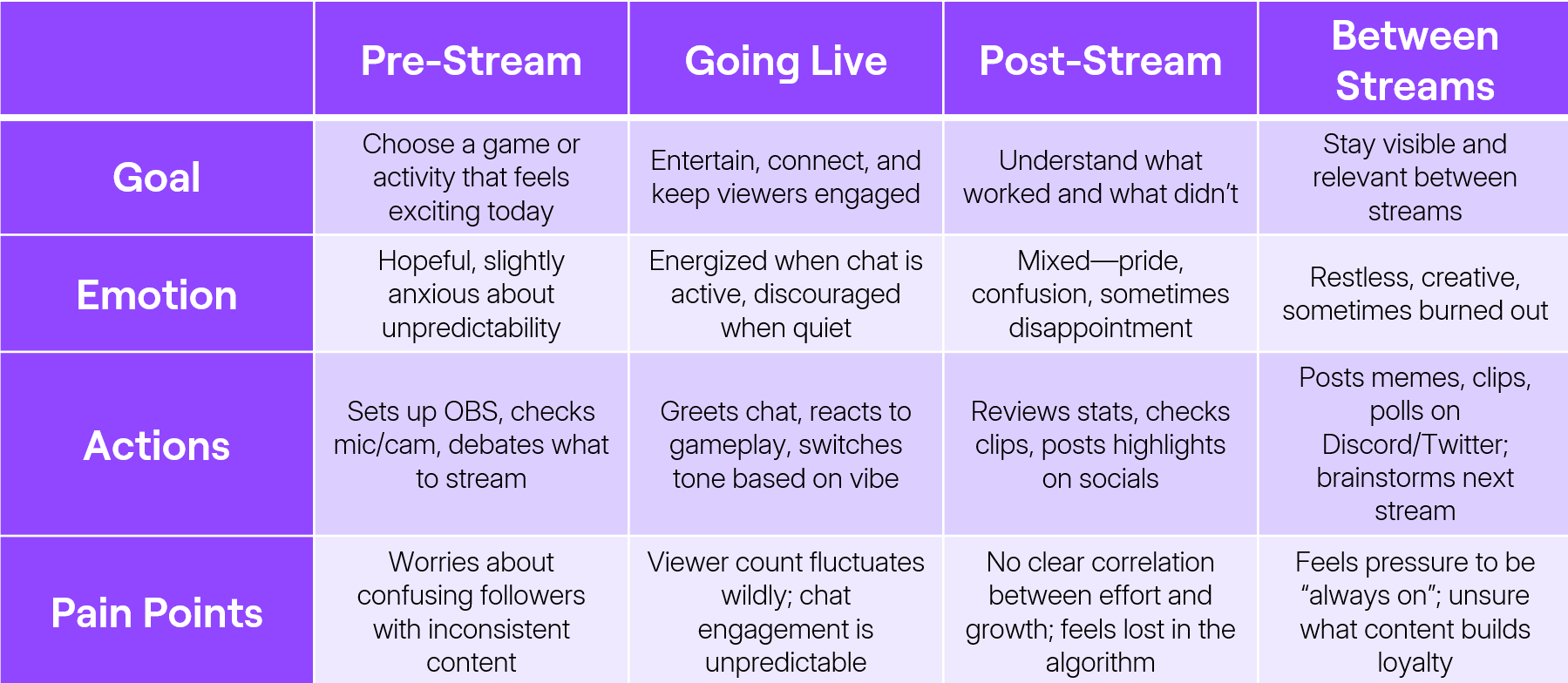
Prompt 1
Our clients liked these designs the best. All of these had relatively dark backgrounds with colours that stood out. This meant that for our own designs, we should also have dark backgrounds with contrasting colours.
- You are a UX designer making an application to help Twitch streamers grow their channel. Create wireframes for an interface to have an AI assistant analyze their Twitch channel and provide suggestions to help the user grow their channel. The AI should be able to view live streams, past streams, as well as the channel itself. The AI should be able to provide specific (and ideally gamified) tasks for the user to complete, and analyze whether these tasks have been completed correctly. The user should be able to hide tasks but should receive a warning for doing so. It should also be possible to unhide tasks. Name the application StreamerAI.
Figma Make
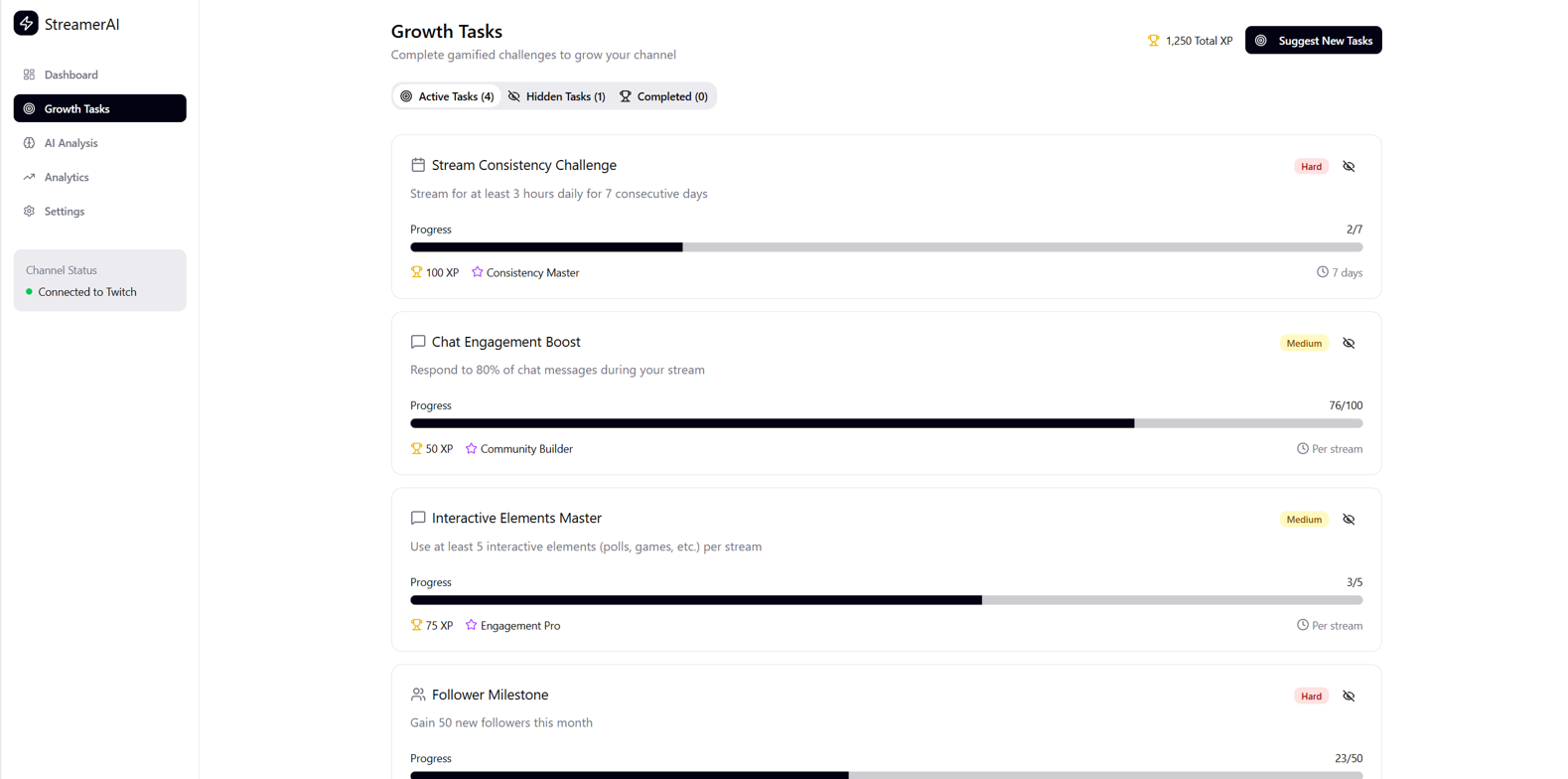
Rationale
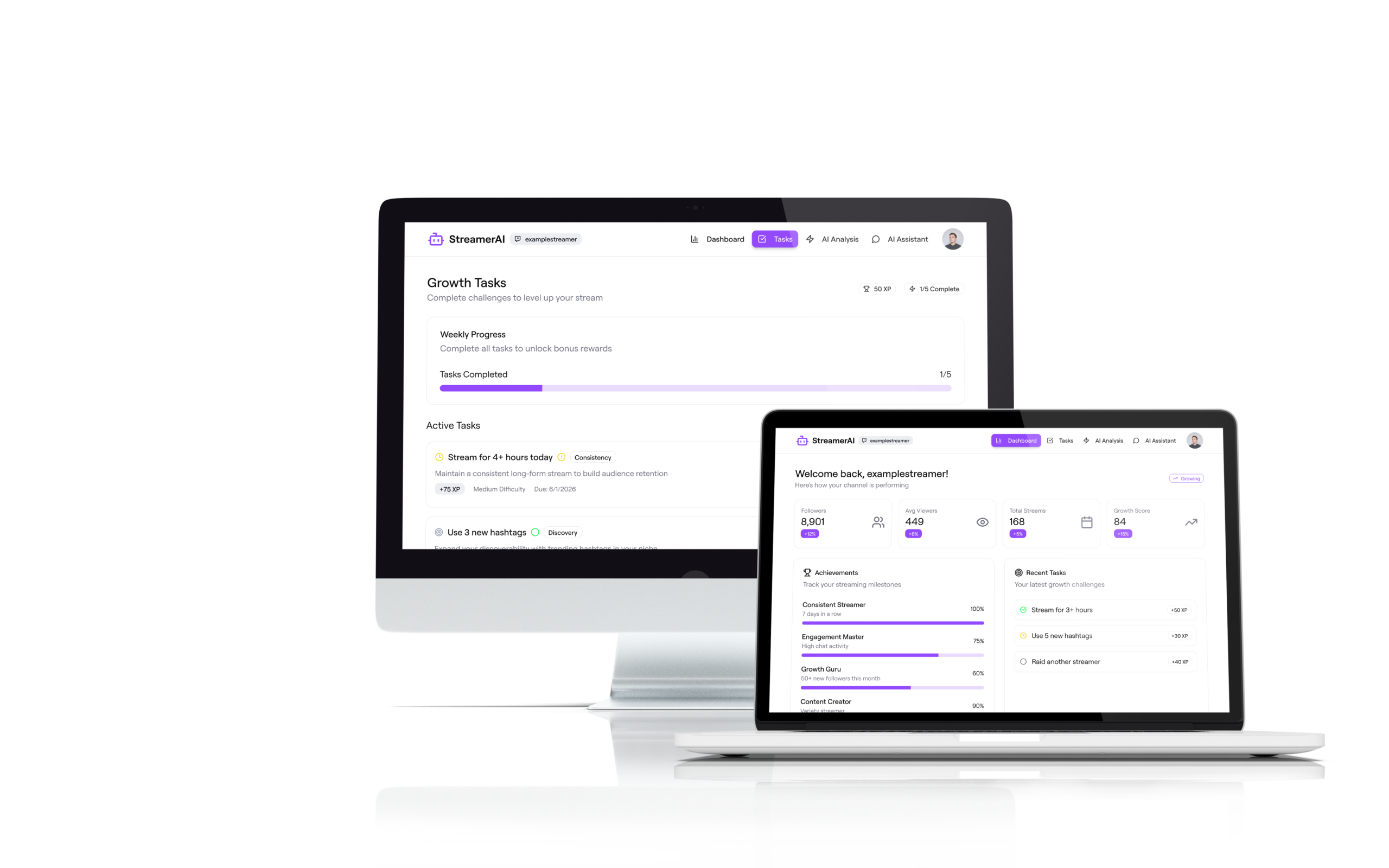
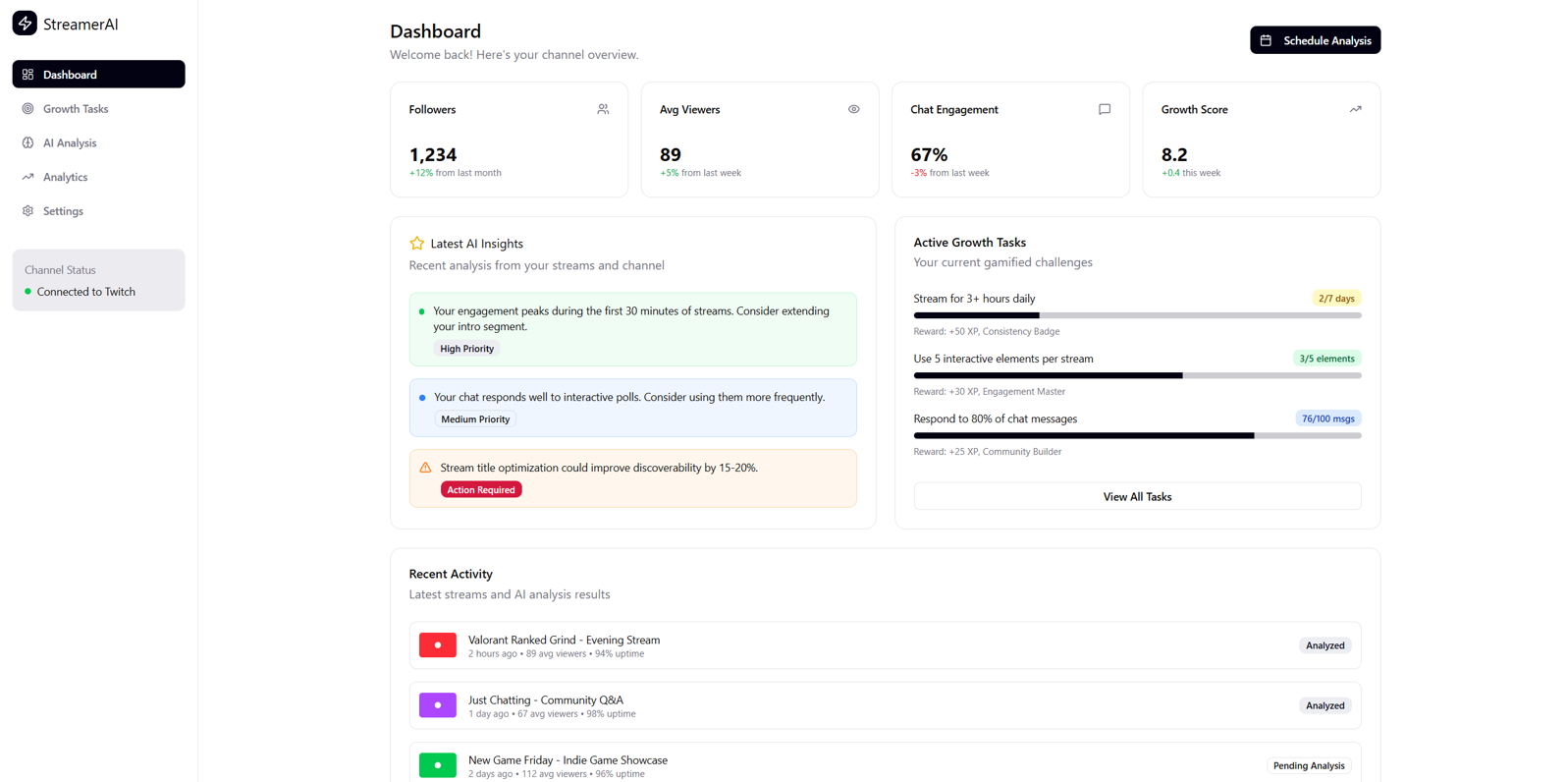
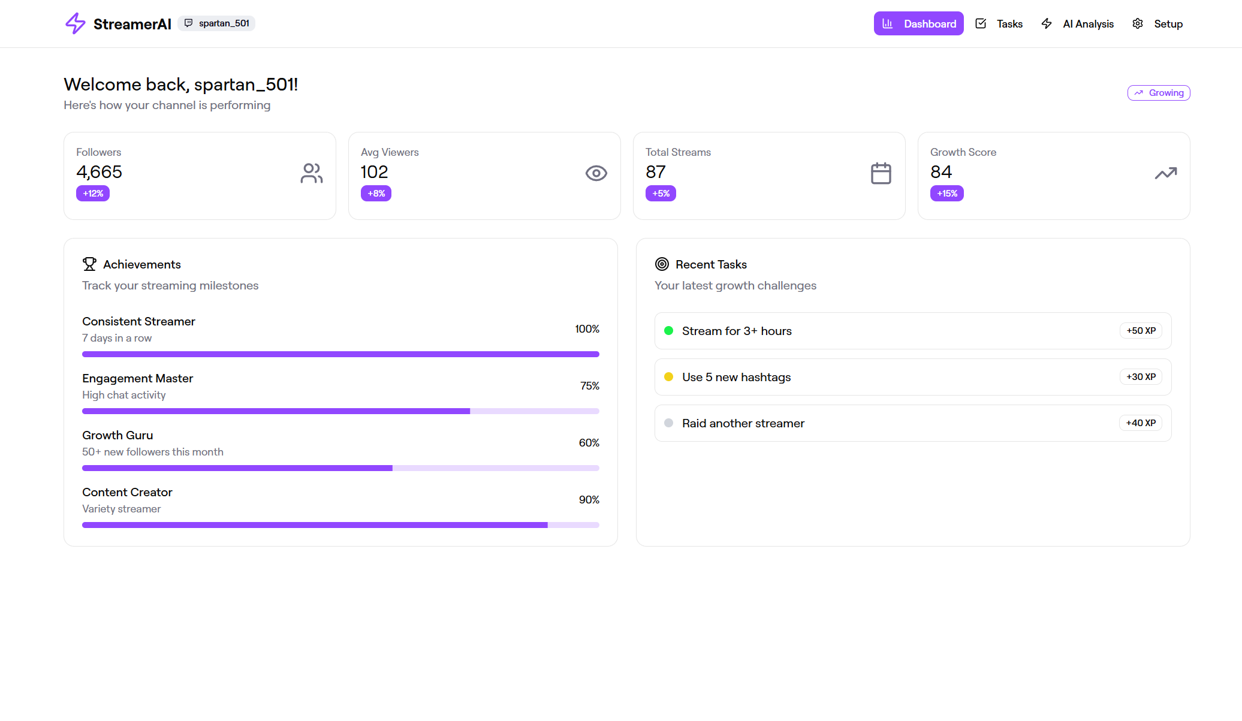
- The prompt was entered into Figma Make, which generated this app.
- It supports the user’s goals by providing gamified goals based on the user’s current stream, past streams, and channel.
- Testing is needed to ensure good usability.
Framer
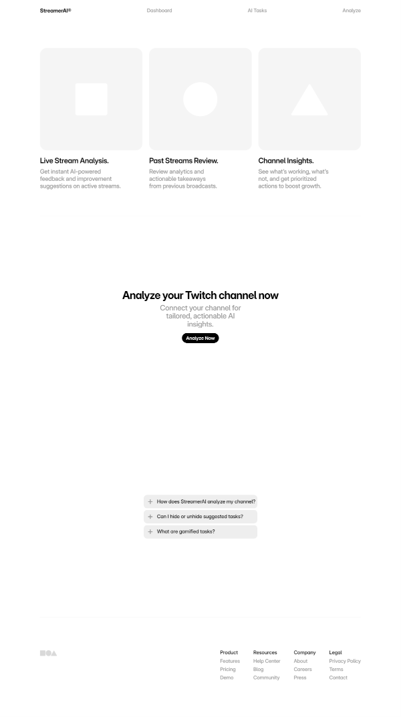
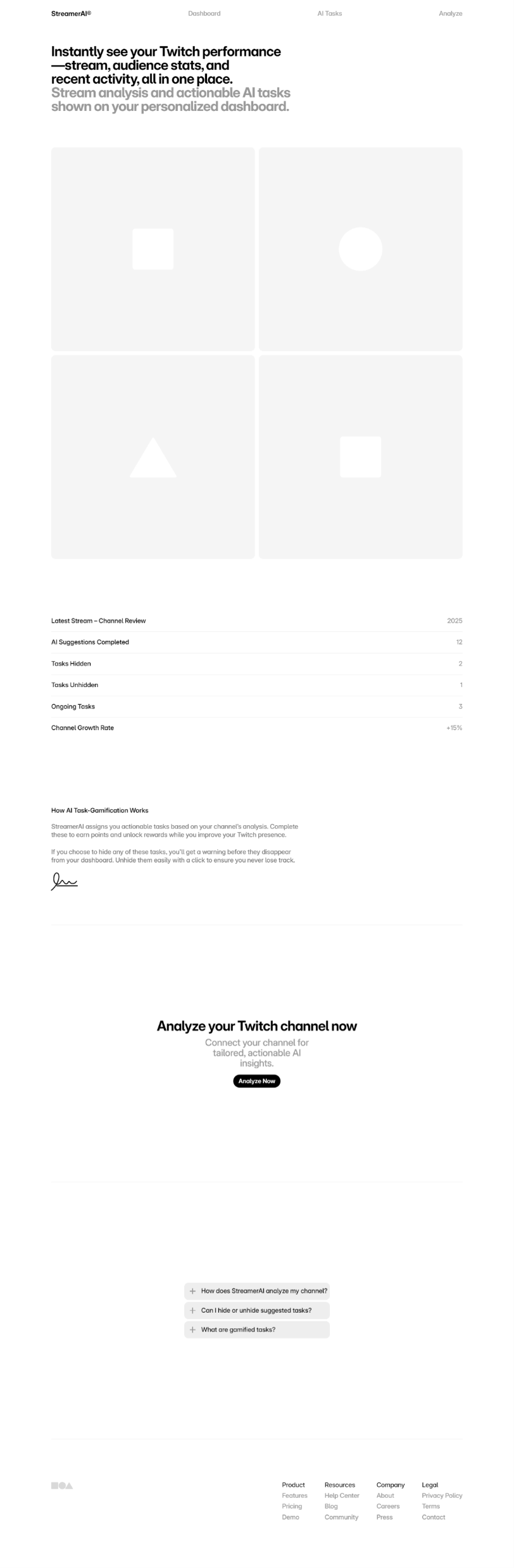
Rationale
- The prompt was entered into Framer, which generated a landing page. Further prompting caused the AI to generate pages that not only made less sense, but overwrote previous pages.
- Framer appeared to be unable to make a sensible website with this prompt, and it turned out to be completely disastrous and unusable.
Prompt 2
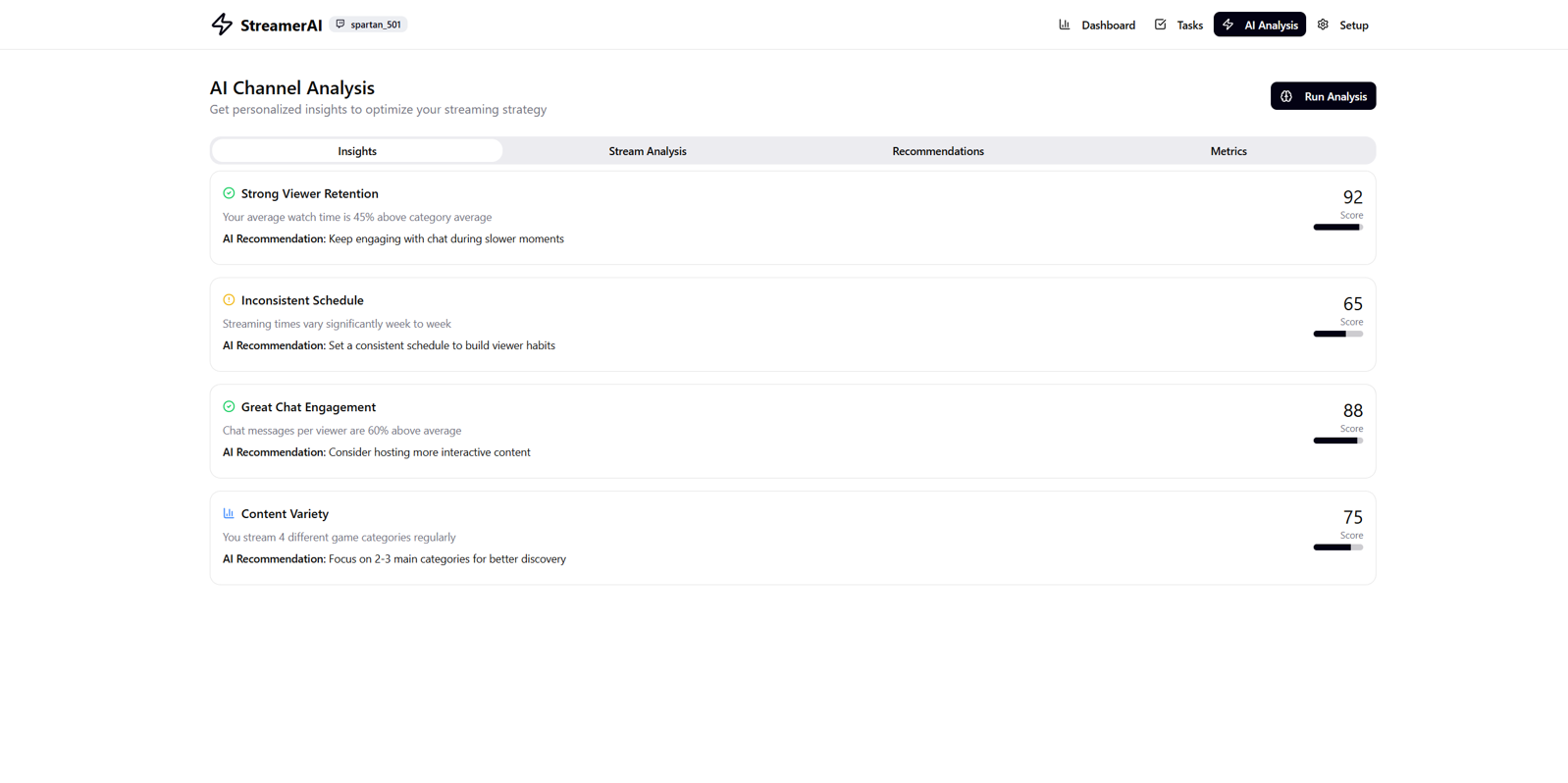
- Create a responsive website to help Twitch streamers grow their channel. The site should include an interface to have an AI assistant analyze their Twitch channel and provide suggestions to help the user grow their channel. The AI should be able to view live streams, past streams, as well as the channel itself. The AI should be able to provide specific (and ideally gamified) tasks for the user to complete, and analyze whether these tasks have been completed correctly. The user should be able to hide tasks but should receive a warning for doing so. It should also be possible to unhide tasks. Name the site StreamerAI.
Figma Make
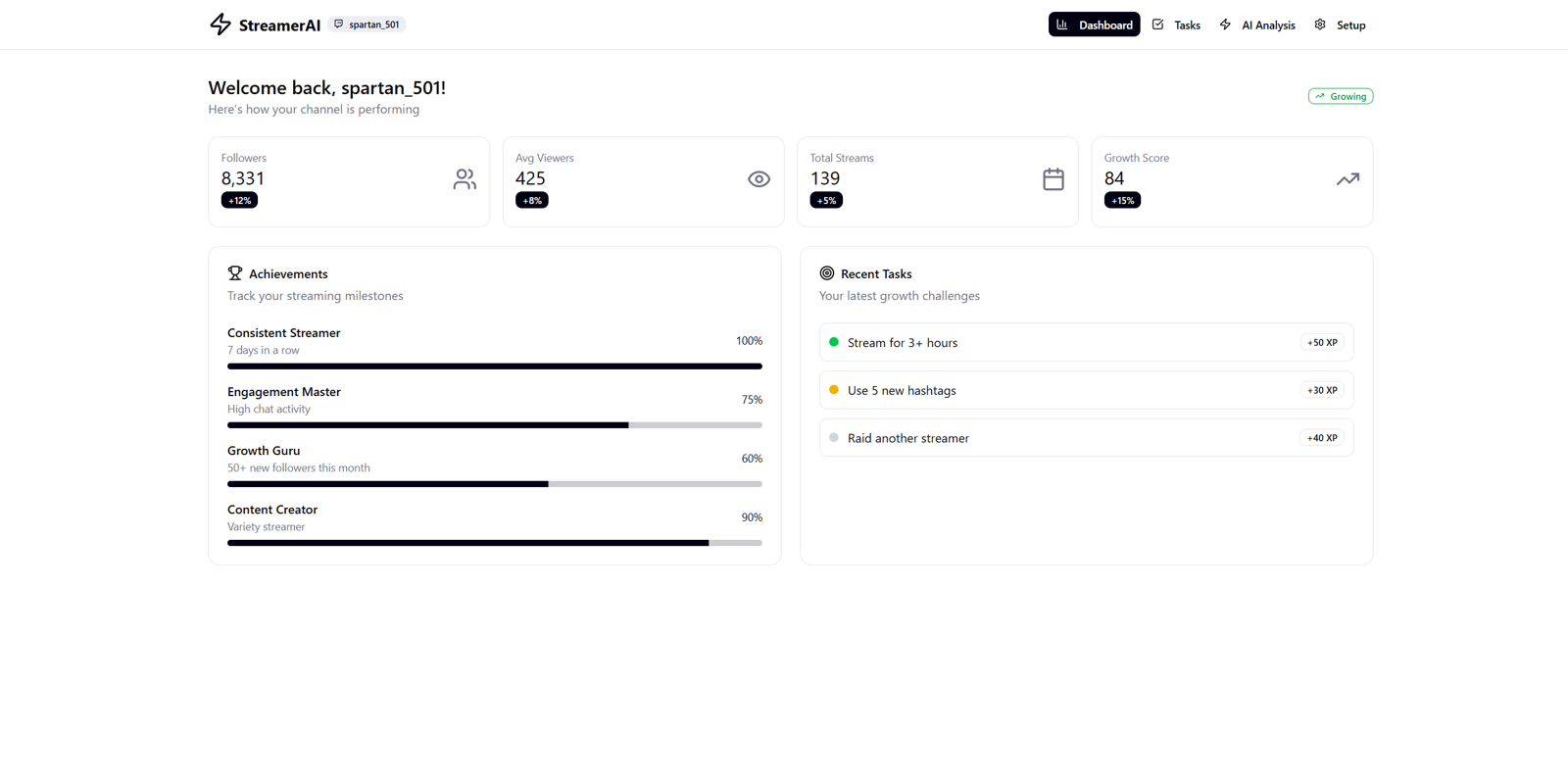
Rationale
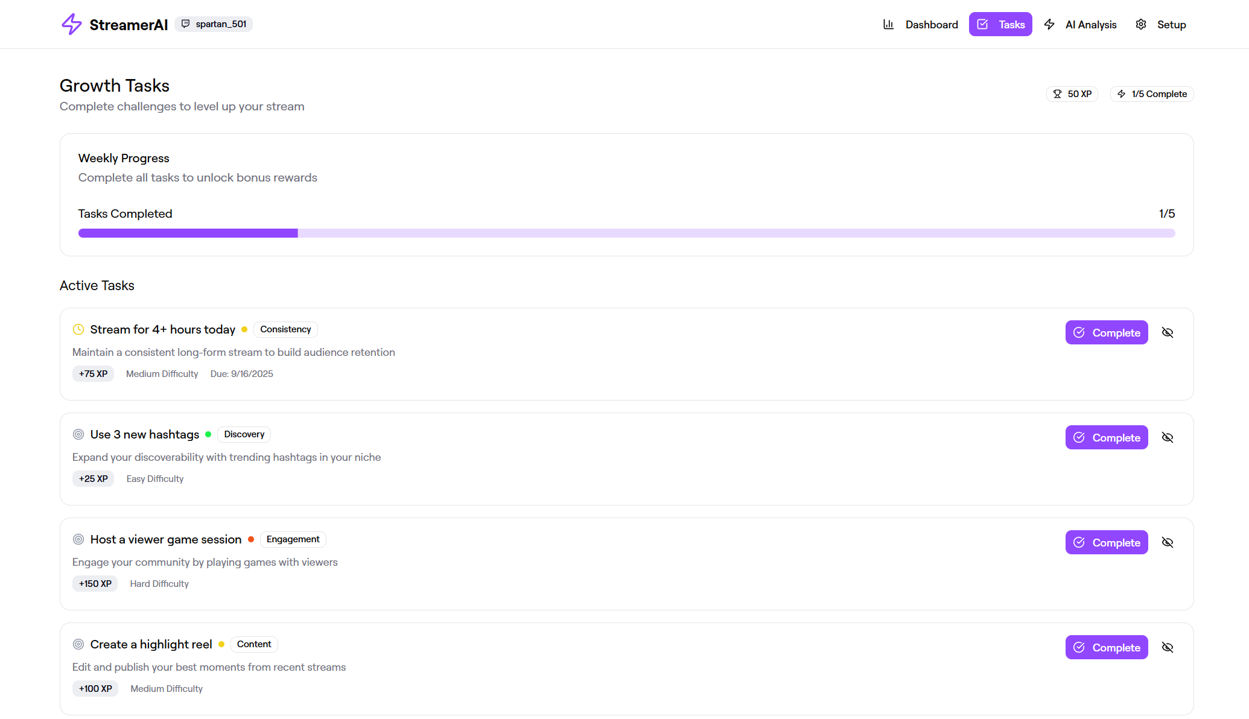
- The prompt was entered into Figma Make, which generated this app.
- It supports the user’s goals by providing gamified goals based on the user’s current stream, past streams, and channel.
- Recommendations are arranged differently than in the previous version made by Figma Make, but both seem to be fairly usable at first glance. A/B testing revealed a preference for the second one with Figma Make, so that’s what we’ll proceed with.
UI Design
The Design Process
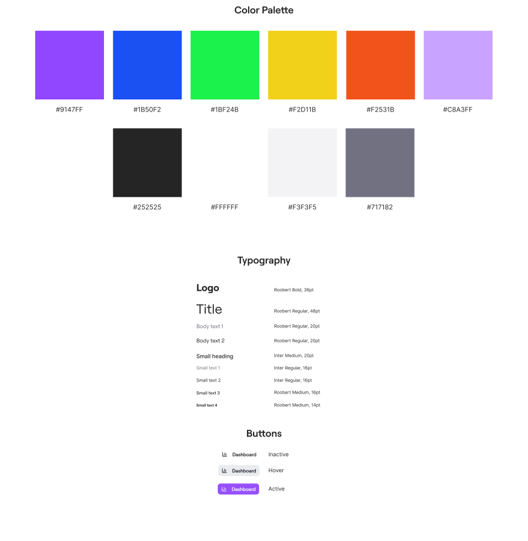
Color Palette
The Why—Design Inception
- I started with the basic Twitch color, #9147FF.
- Adobe Color gave me the following color scheme by default:
We settled on a central reason for the project, i.e. the Why. It was to give all athletes the same opportunity to showcase their skills within their sport.
With the Why figured out, we were able to move on to the mood, space, colour, shape, and movement.
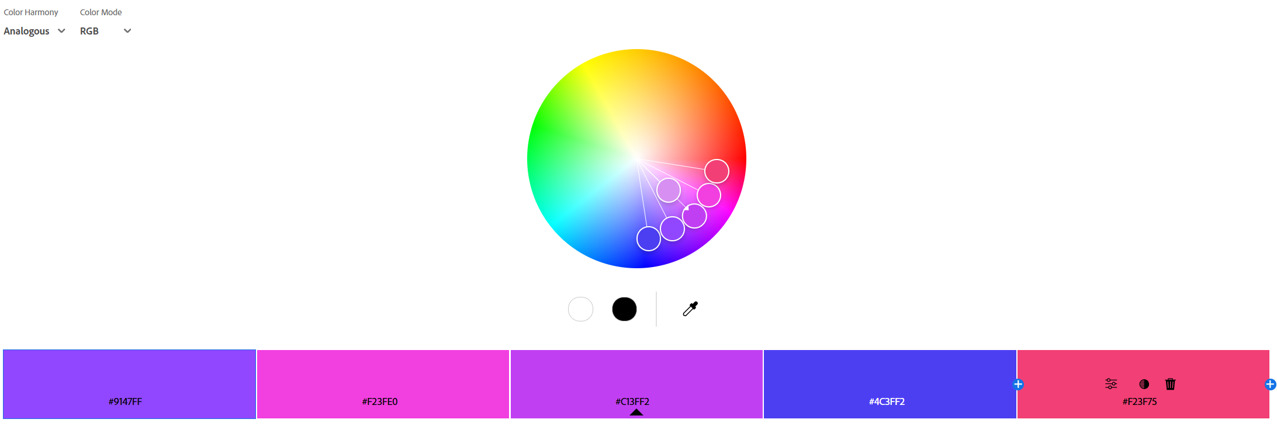
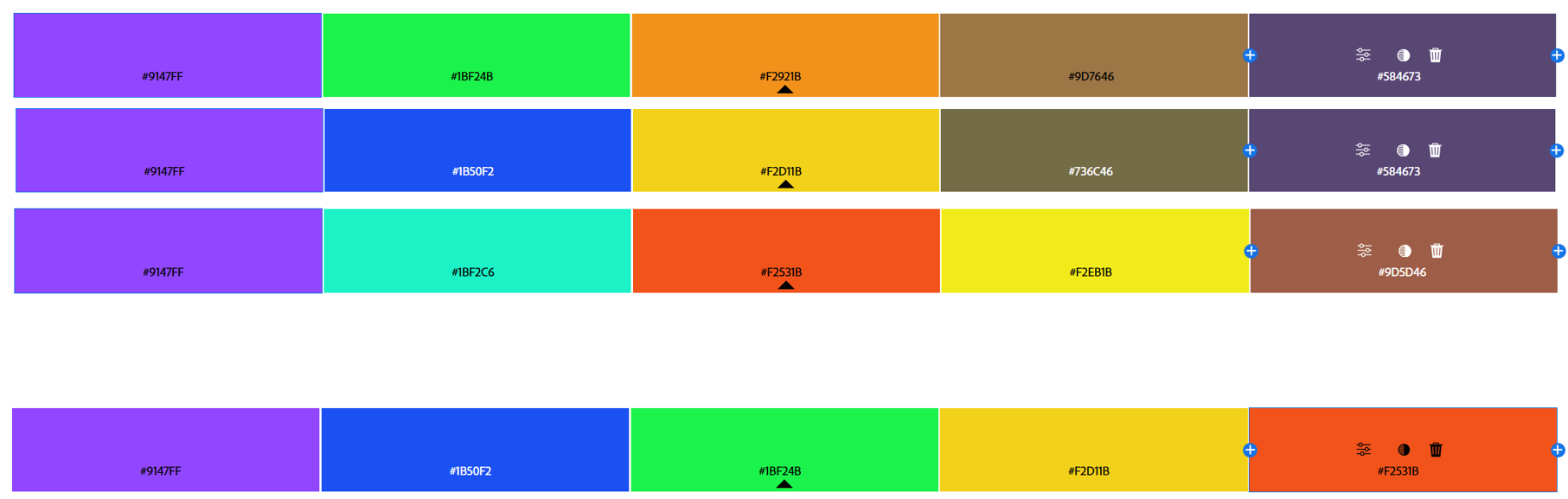
- Since I needed certain indicator colors, I decided to combine multiple color palettes.
Typography Rules
Style Tile & Brand Guideline
- Roobert is the primary typeface, since it’s already in use on Twitch.
- Suggested pairings include Surt (sans-serif), Reckless (serif), among others.
We split off into three different directions so that the clients can be given a choice. We wanted to find out if the clients really would prefer a dark theme with a significant amount of orange. We also wanted the clients to have a choice between orange and primary green, which is an especially vibrant colour that would definitely stand out on a black(ish) background).
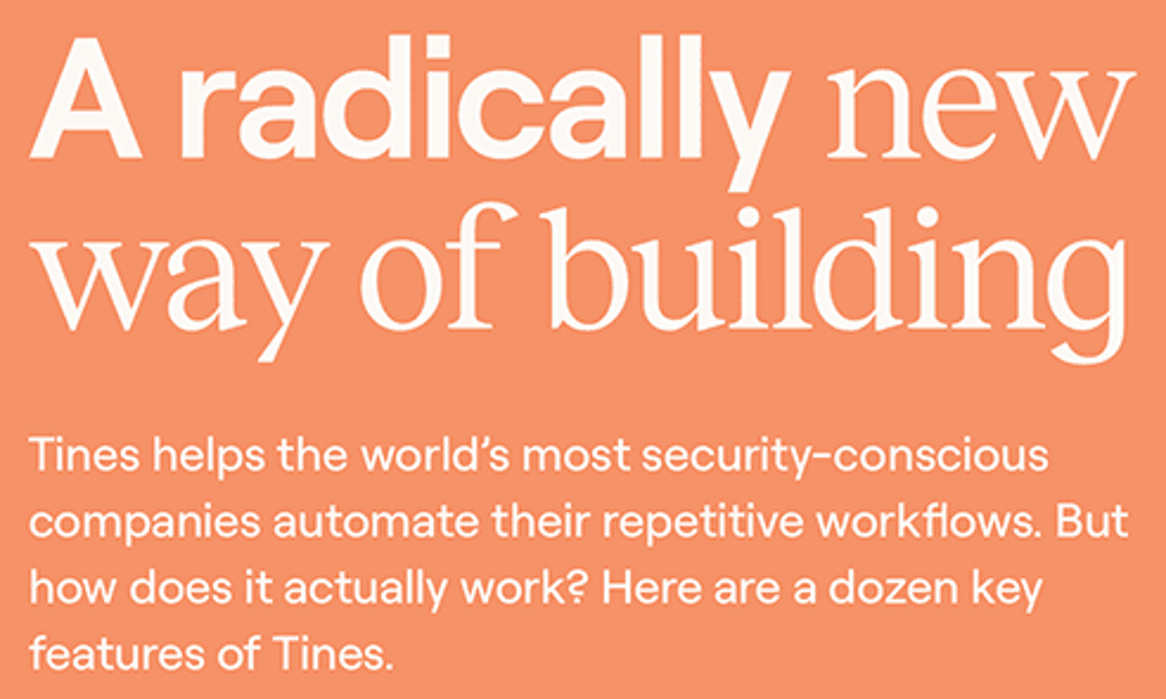
- Roobert is also recommended for pairing with itself.
- Pairing with Inter is seen on Twitch, which is what I chose.
In the end, the clients picked out elements from all three mood boards. They preferred the reddish orange from the white/orange mood board and they also really liked dark backgrounds. While the green did indeed look enticing, orange won out in the end. However, they did choose to go with Trade Gothic, which is as typeface associated with athletics (seen on the Nike website) and featured on the green style tile.
Usage Examples
Style Guide
Testing
User Testing
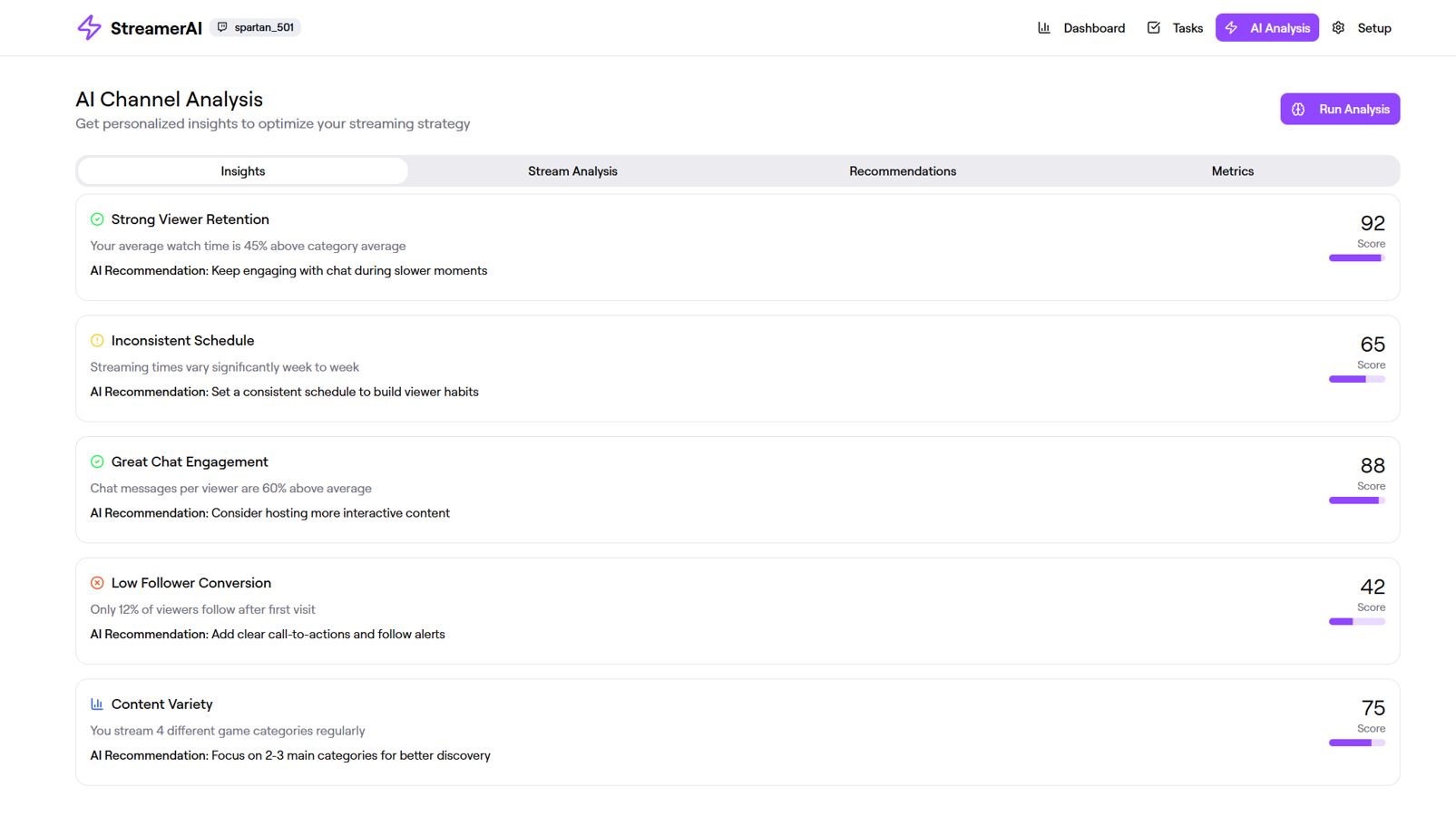
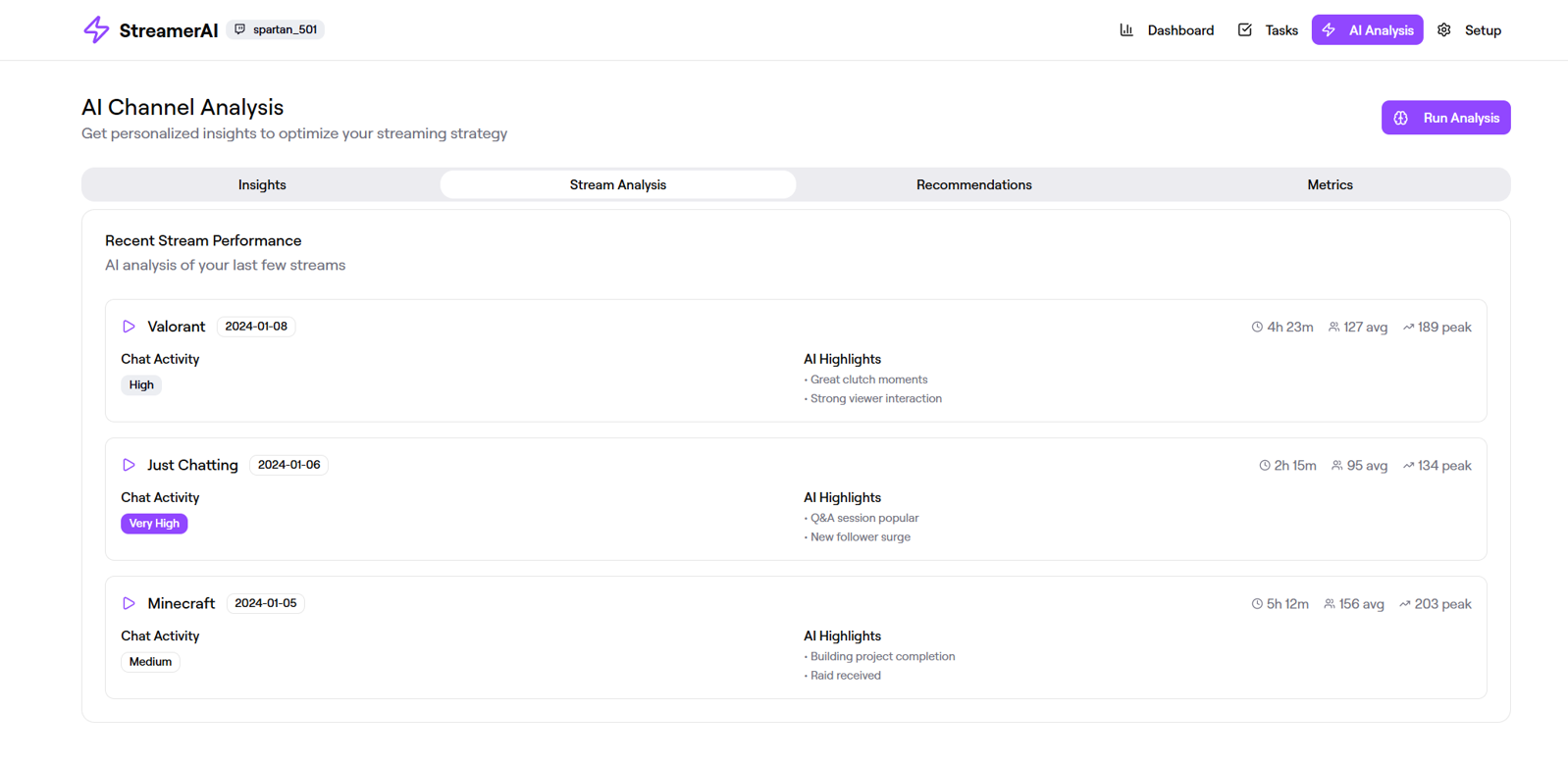
Initial Prototype Screenshots
Wireframes
Usability Test
- Participants are asked to connect their Twitch channel and have the AI analyze it.
- Participants are Twitch streamers.
Results
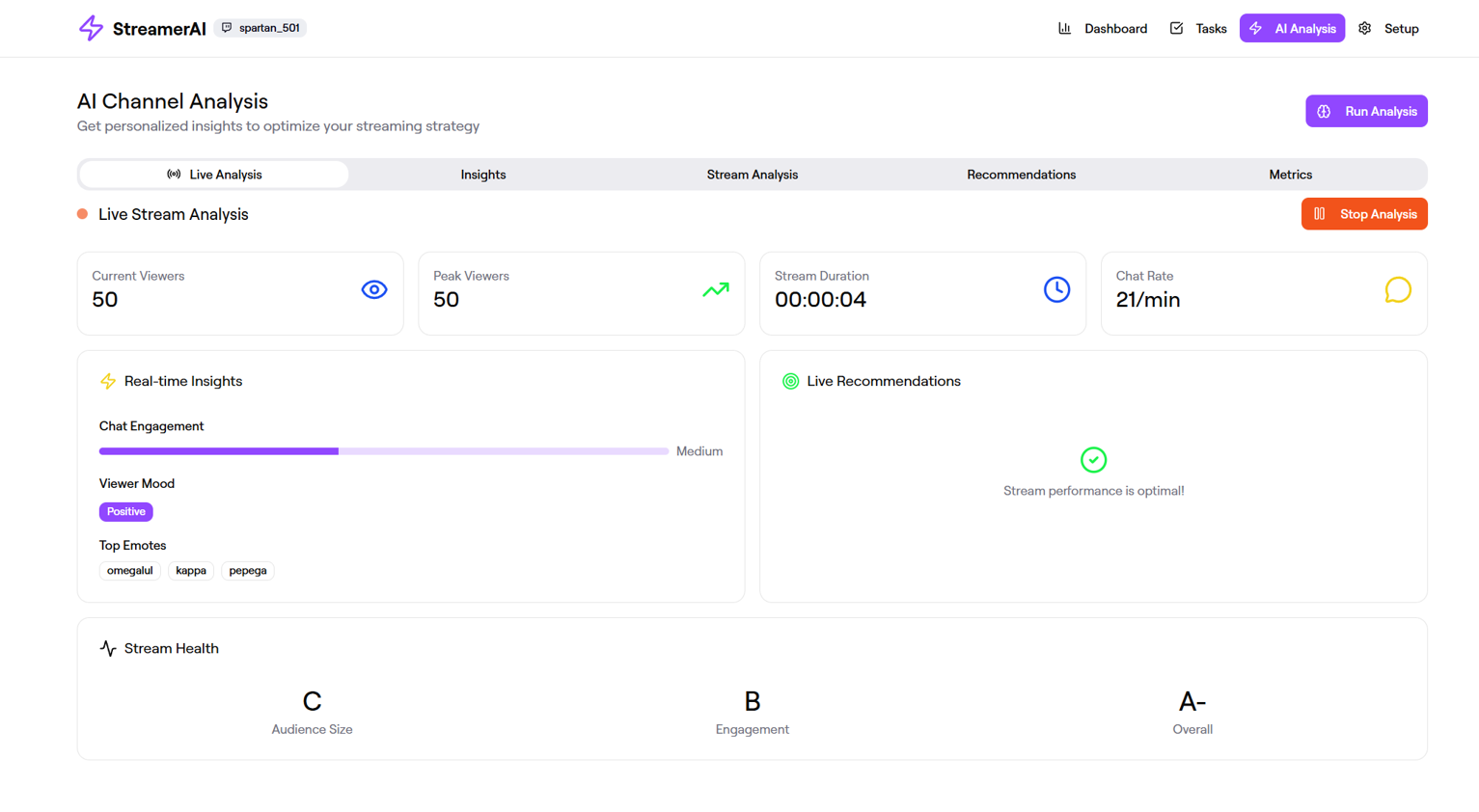
- Participants were able to complete the tasks correctly.
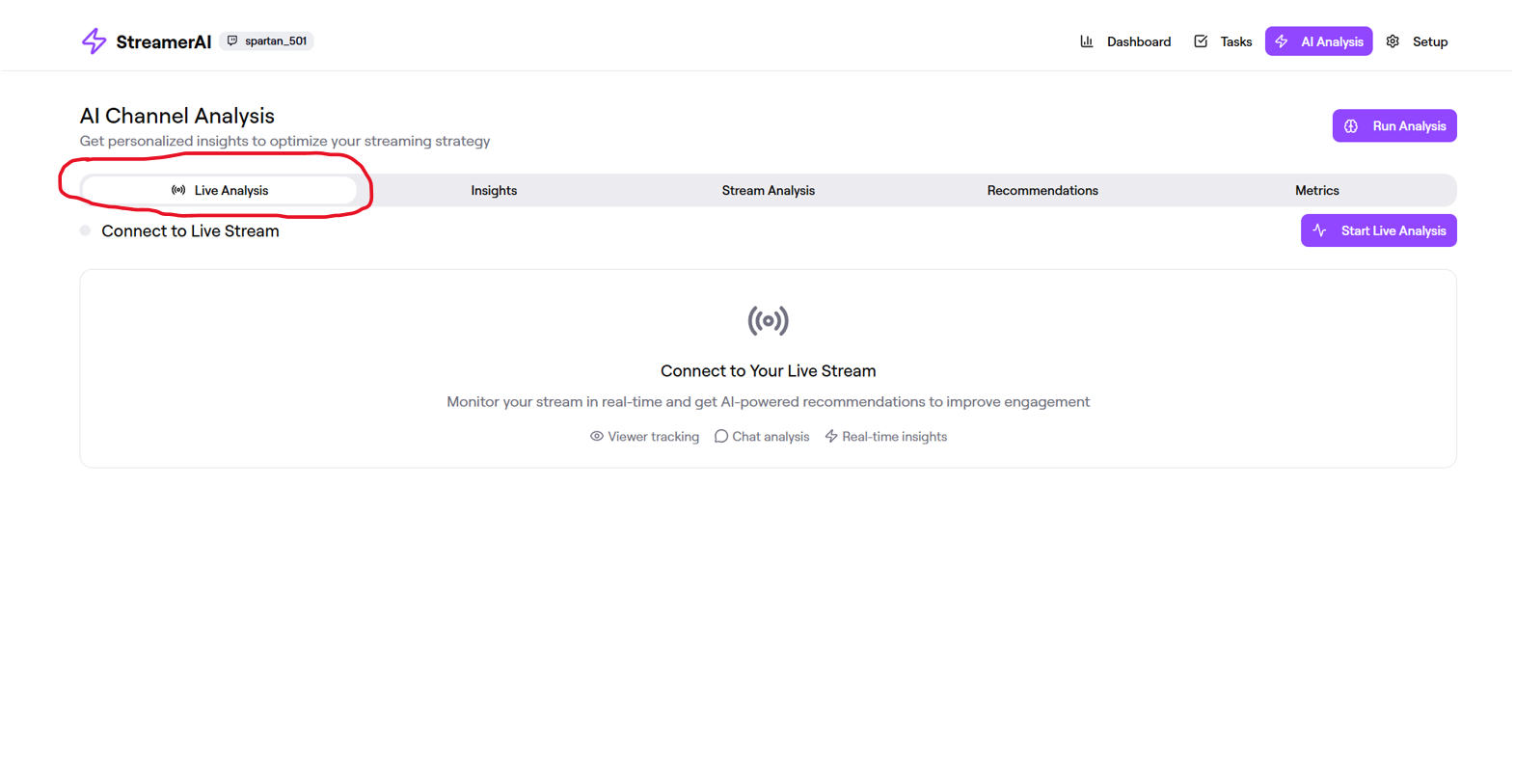
- Some requested a live analysis of an ongoing stream, which the AI cannot currently do.
Refined Prototype Screenshots
UX/UI Tweaks and Ethics
Initial Prototype Screenshots
Initial Findings and Prompt
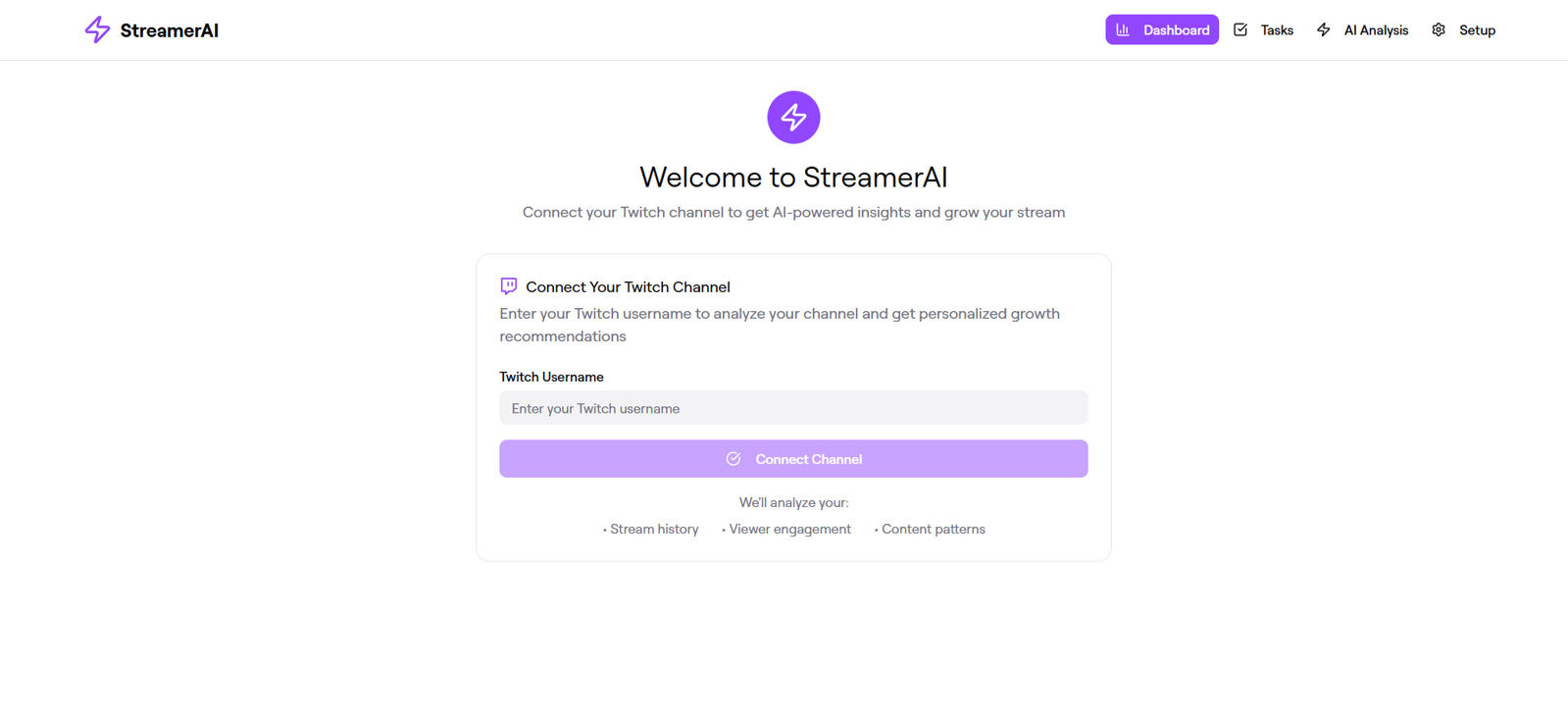
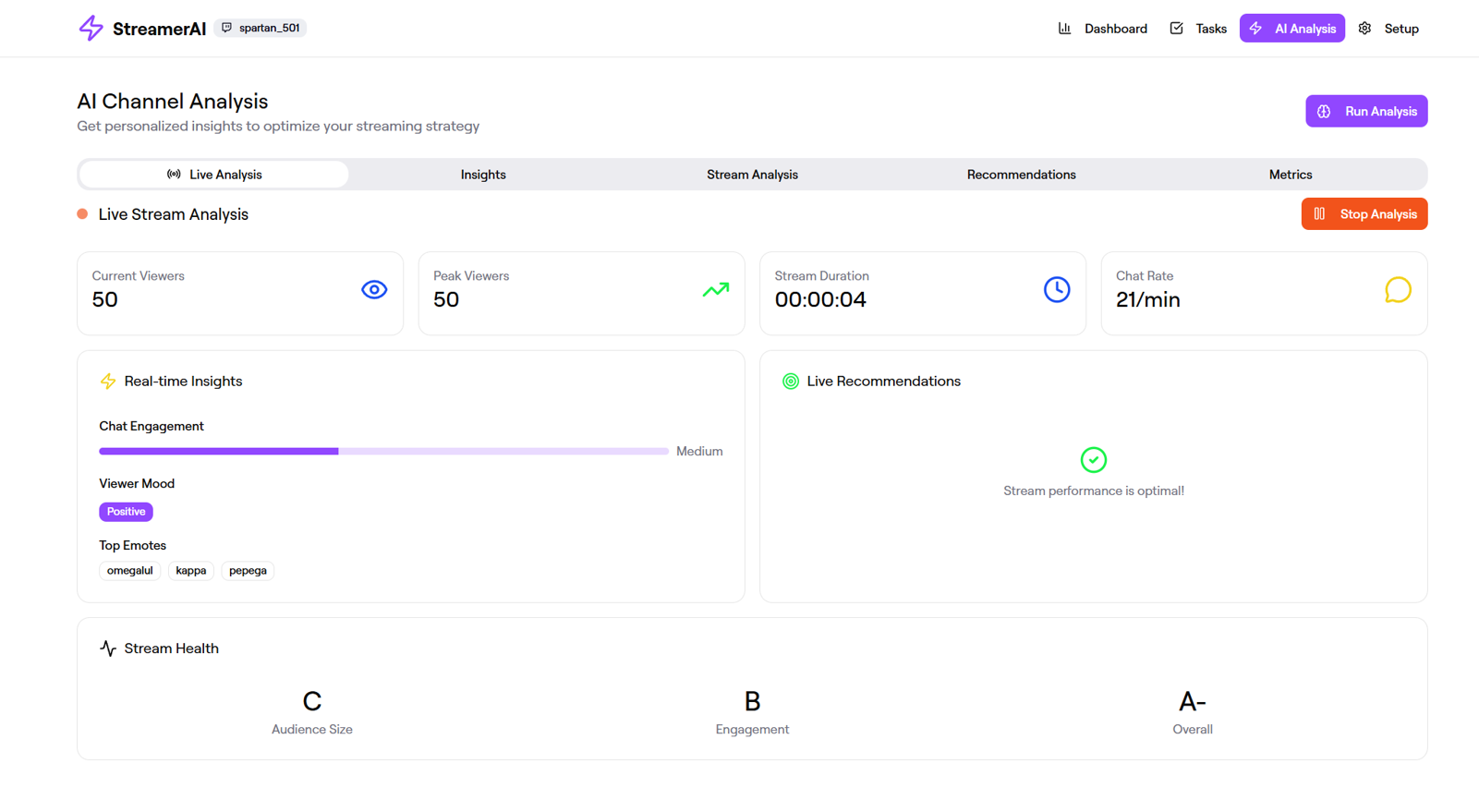
- The lightning bolt seems to be overused in this website. It shouldn’t be used for both the logo and other stuff.
- Prompt:
- Can you use a different icon for the logo?
Of particular note is the profile page. It was due to testing results that the tabs (experience, statistics, and media) were ordered that way.
Result
Changes and New Prompts
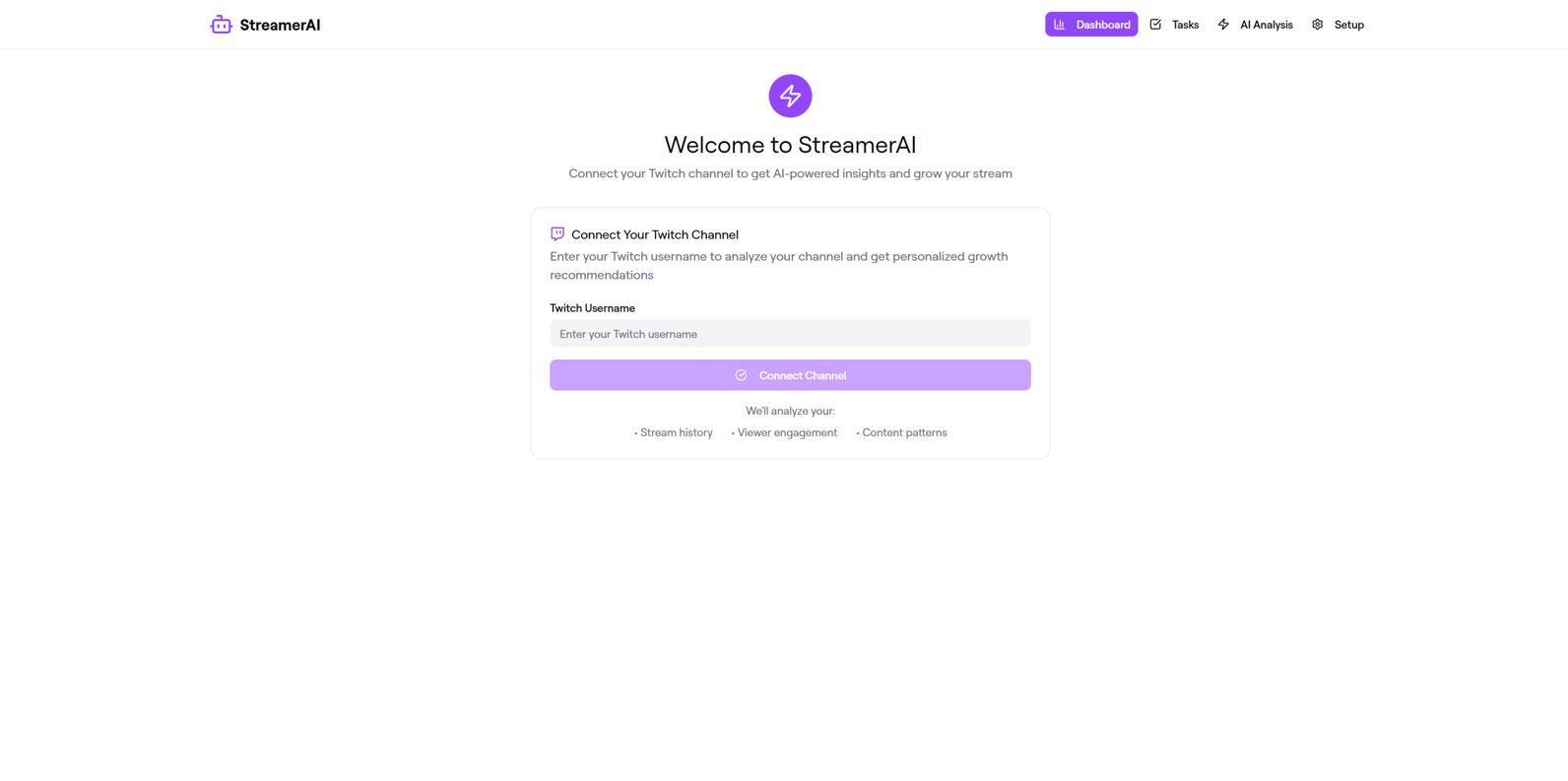
- The logo was changed to a robot instead of a lightning bolt.
- The logo on the Settings page is inconsistent. One of them still uses the lightning bolt from earlier.
- Prompt:
- Can you change the "Zap" icon on the Setup page to the "Bot" icon? Please keep the same style for this icon (i.e. purple circle with white icon).
- The logo is now consistent, with 2 different versions based on where the logo is seen.
- While the new logo was good, the UI was still just a little bland. So I decided to add some shadows and other effects to the buttons.
- Prompt:
- Can you make the buttons pop out more?
Results
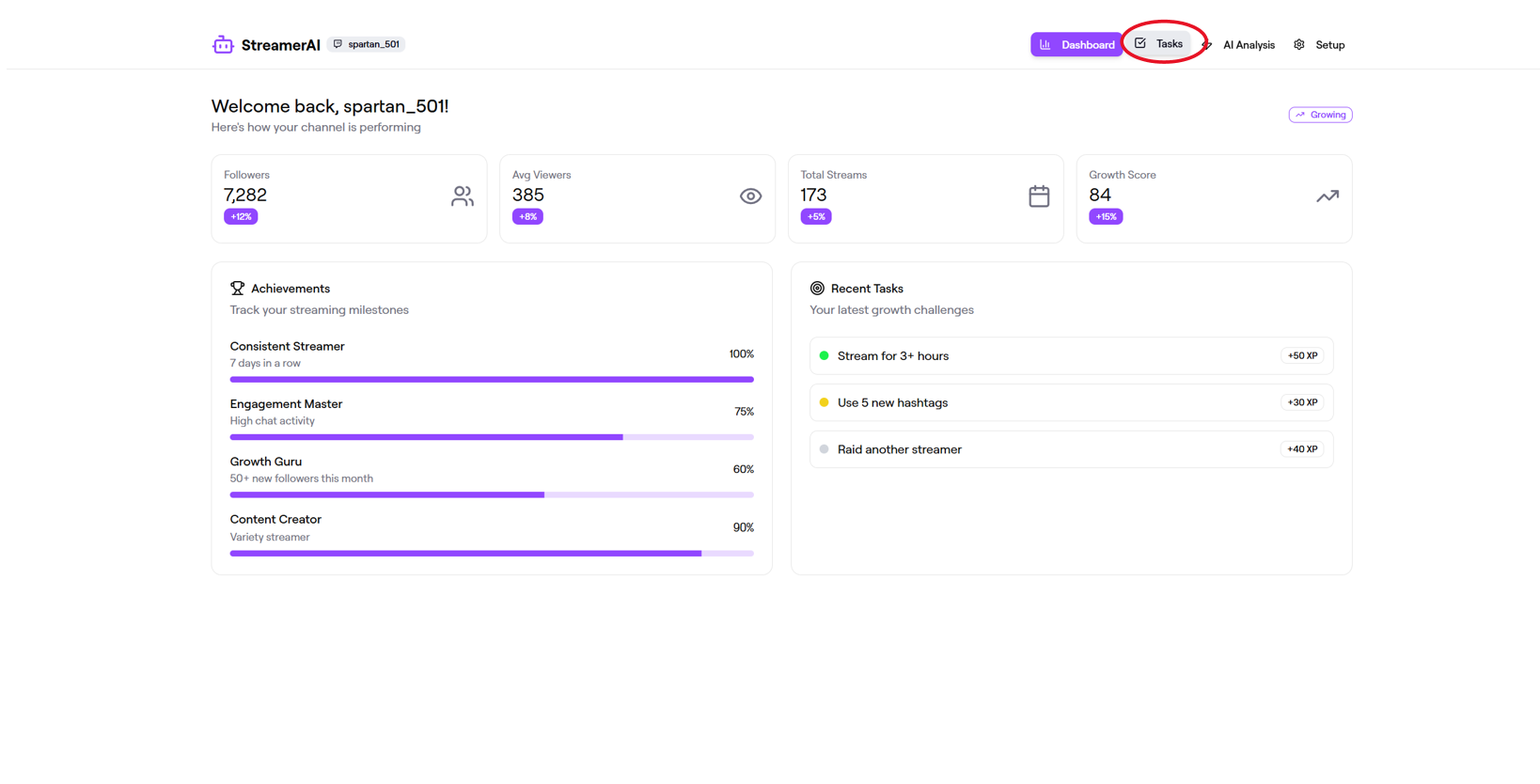
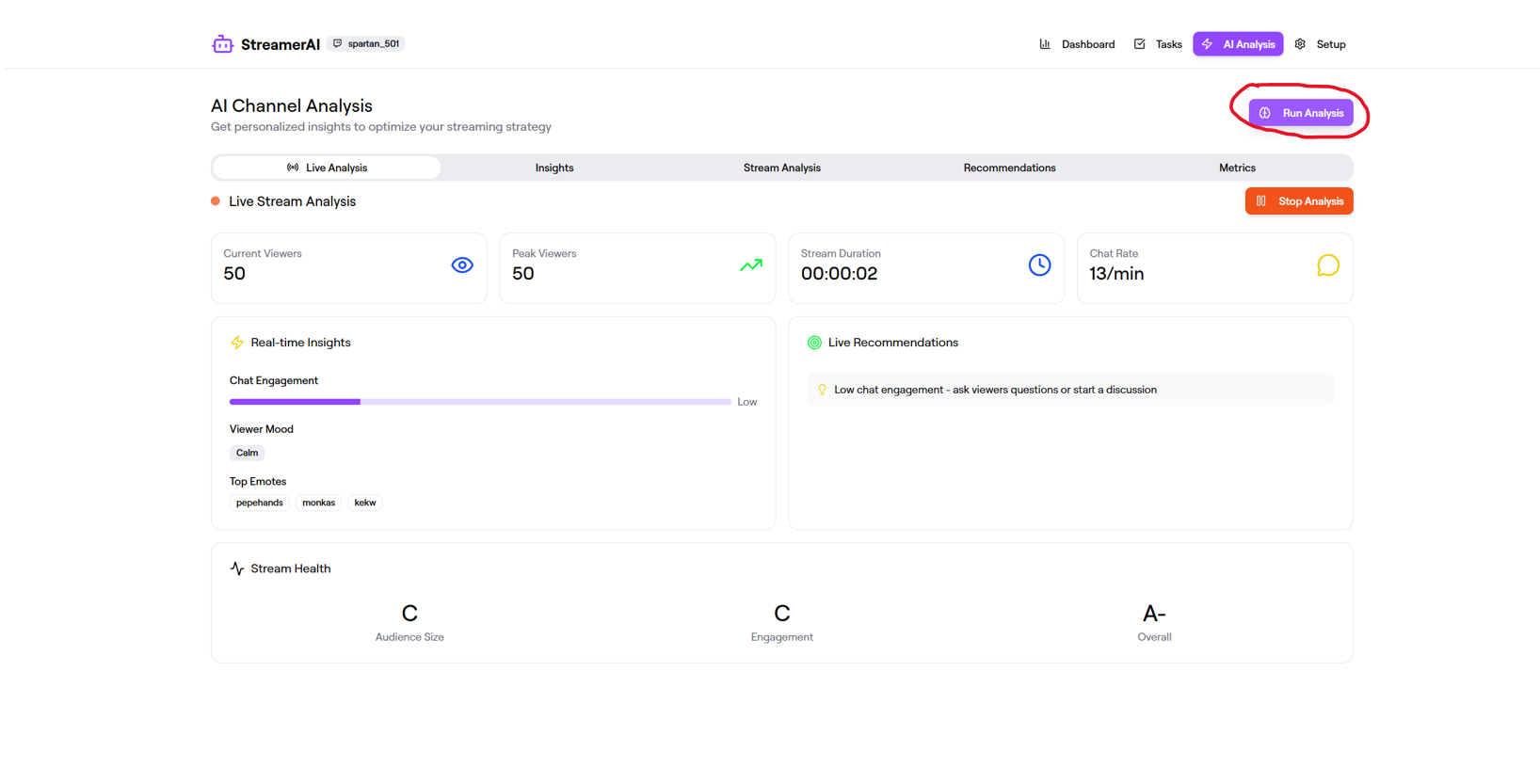
Changes and New Prompt
- The buttons now have a more pronounced hover effect.
- However, there seems to be a privacy issue with connecting channels—anyone seems to be able to connect any channel right now.
- Prompt:
- Can you add a login/logout function?
Results
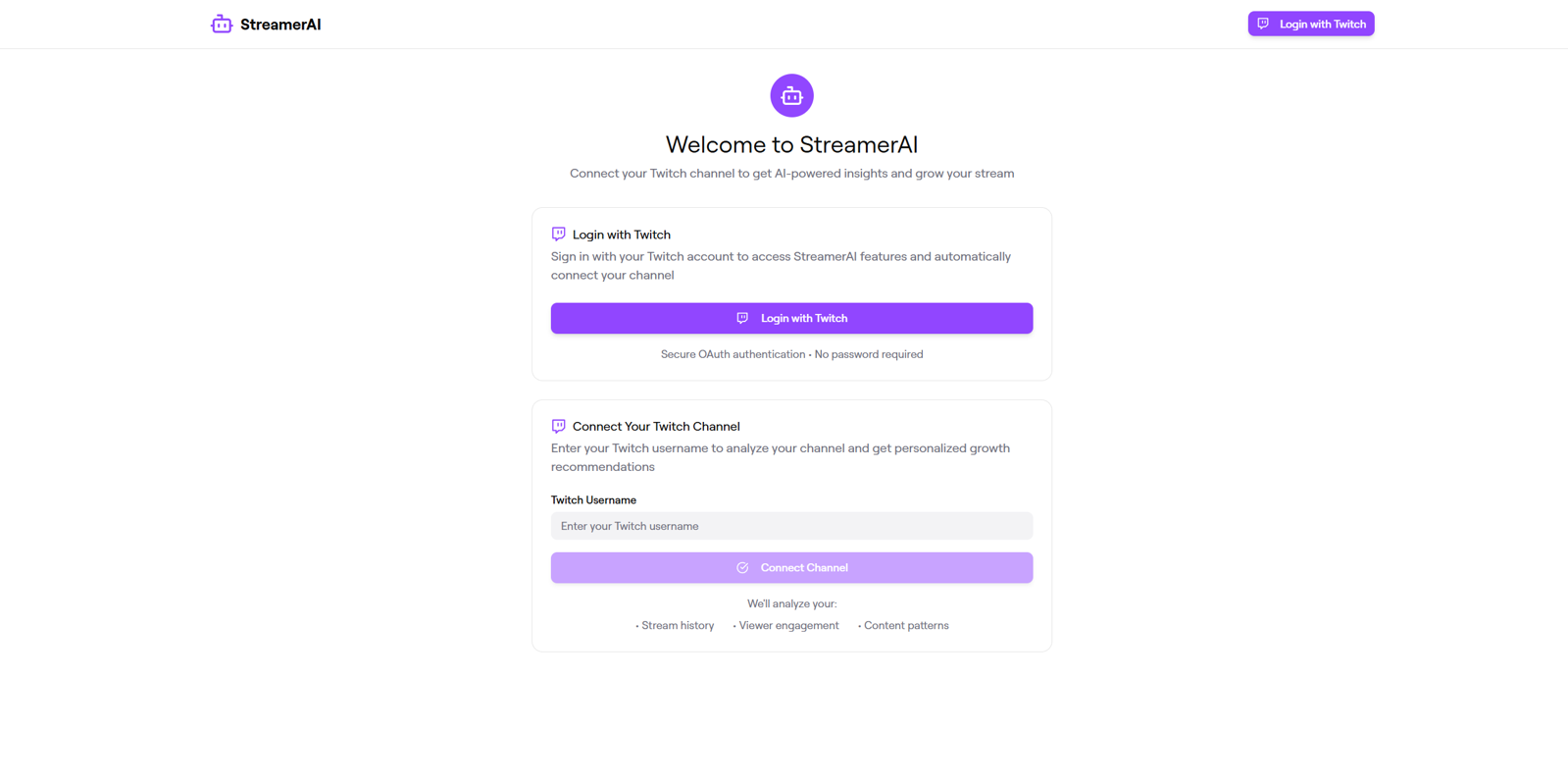
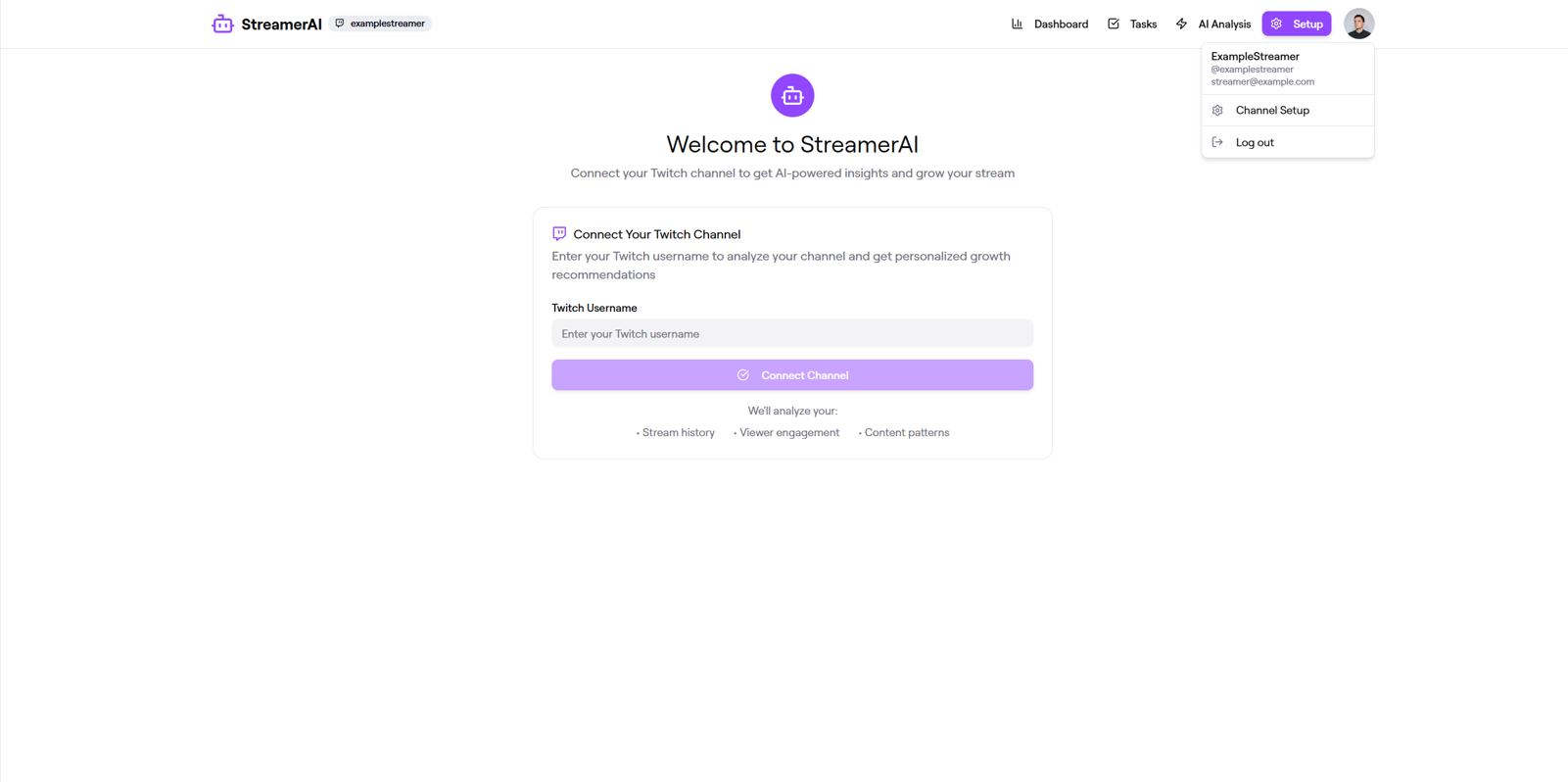
Changes and New Prompts
- While there is now a Twitch-based login, the setup page now becomes redundant and could potentially even be used to analyze the channel of someone who didn’t login. This is a privacy issue.
- Prompt: Can you get rid of the "Connect Your Twitch Channel" box?
- Prompt: Can you remove the "Connect Your Twitch Channel" box when the user is not logged in?
- Prompt: Can you remove the Setup page?
Results
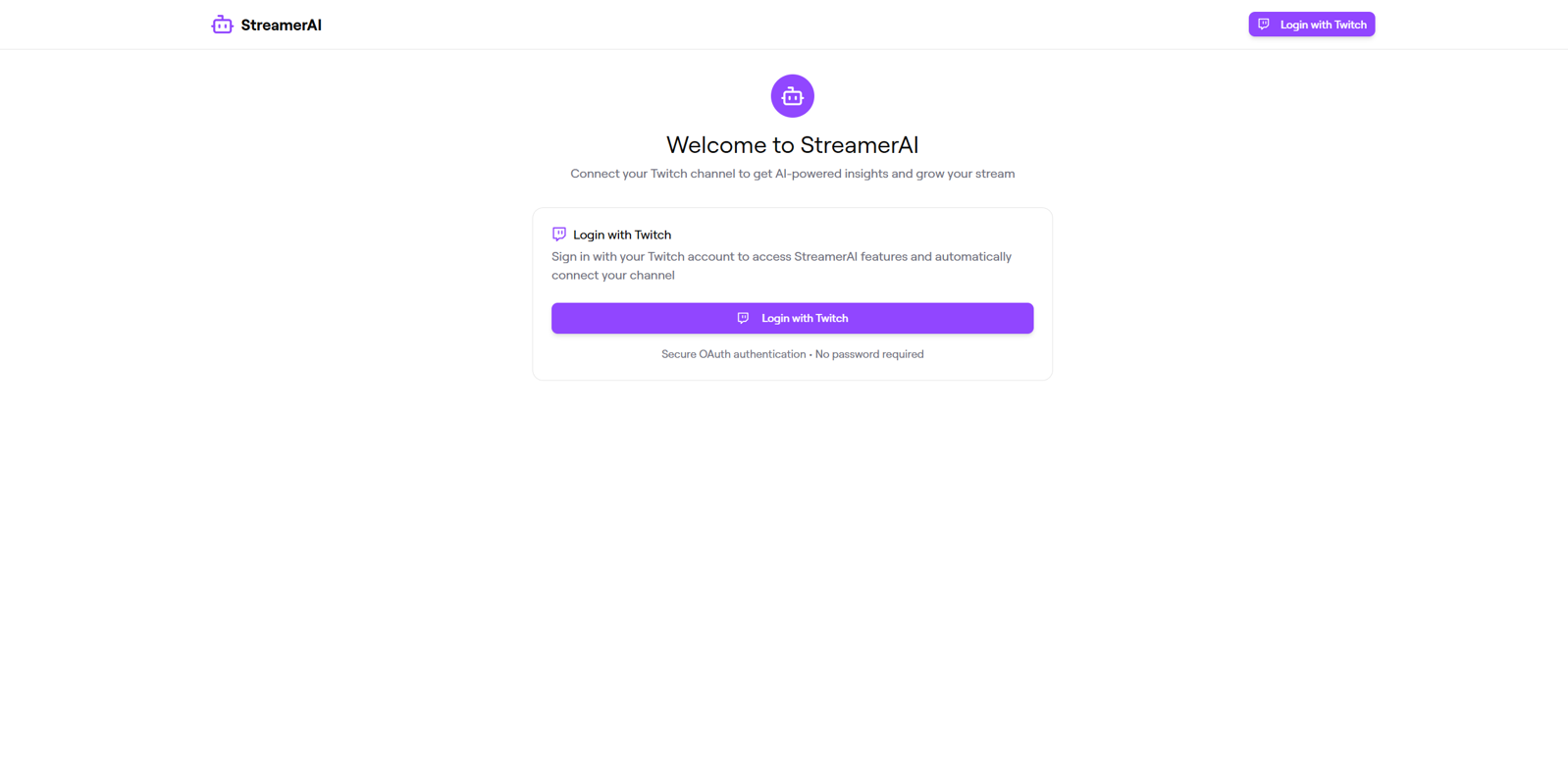
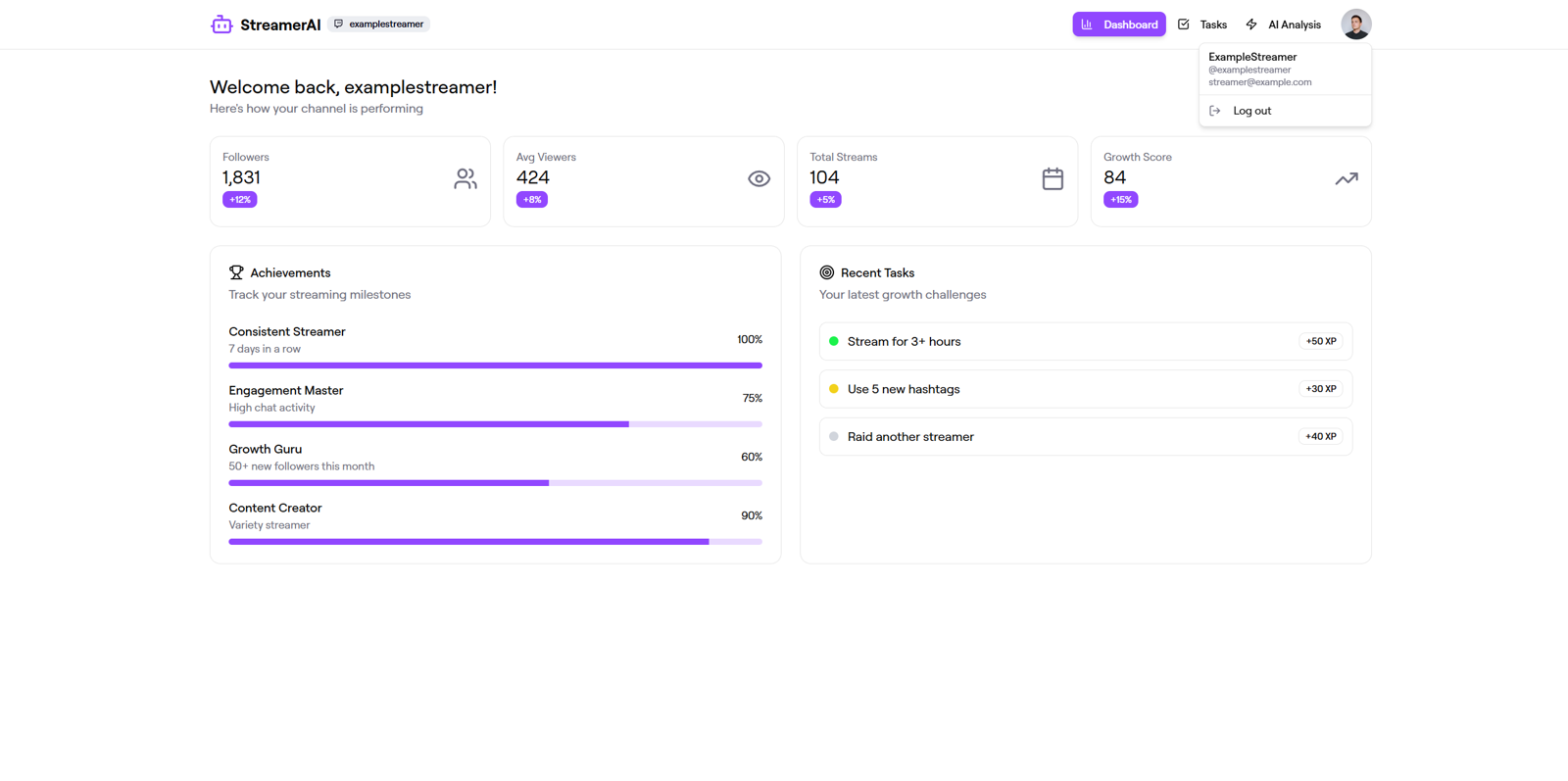
Changes and New Prompt
- The text about no password being required is inaccurate, since Twitch’s login process does include a password.
- Prompt: Can you remove the text that says "No password required"?
Result
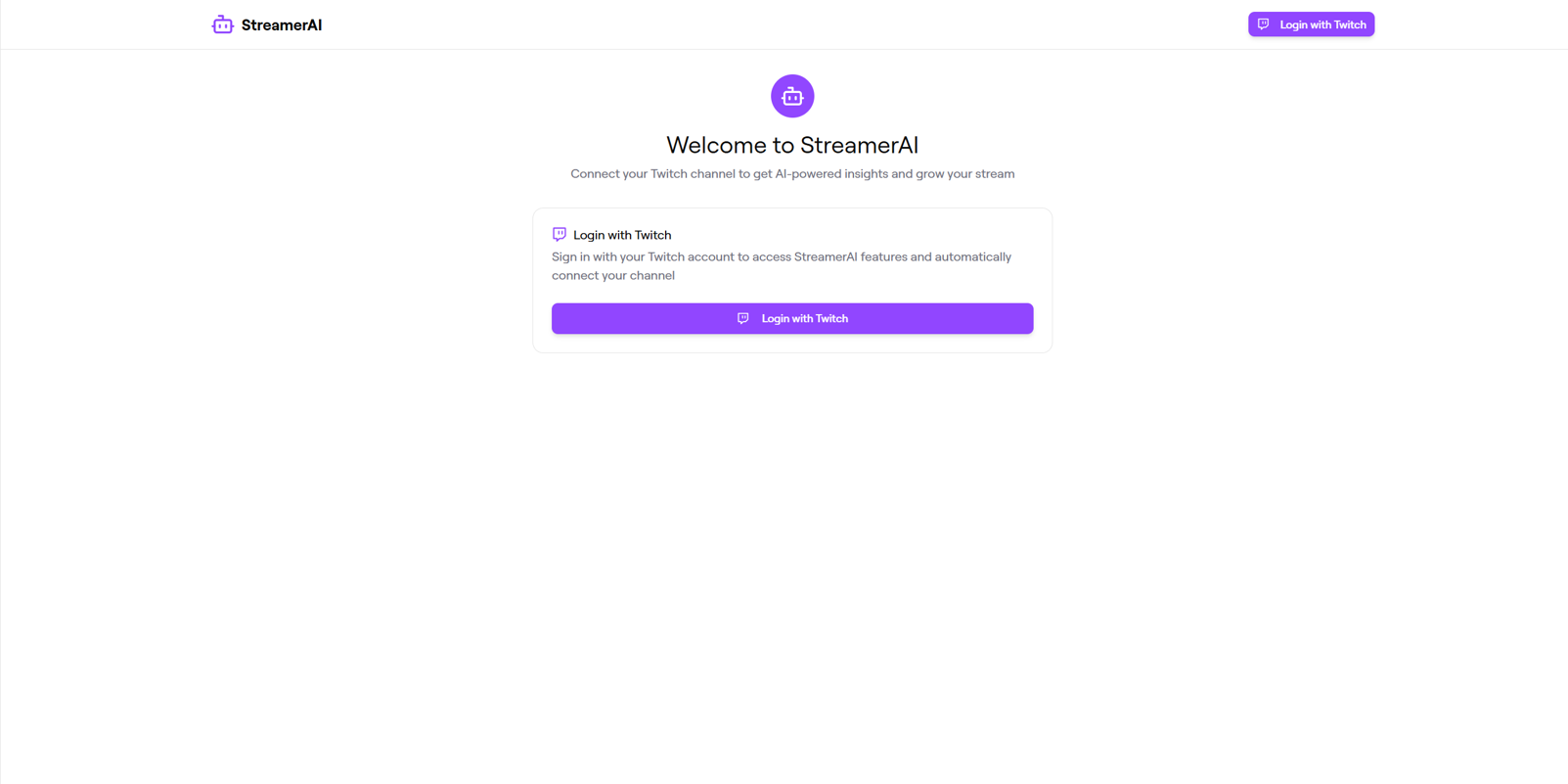
Changes and New Prompt
- Let’s add a chatbot so that the user can ask questions.
- Prompt: Can you add a chatbot function for those who are already logged in? The user needs to be able to ask questions.
Result
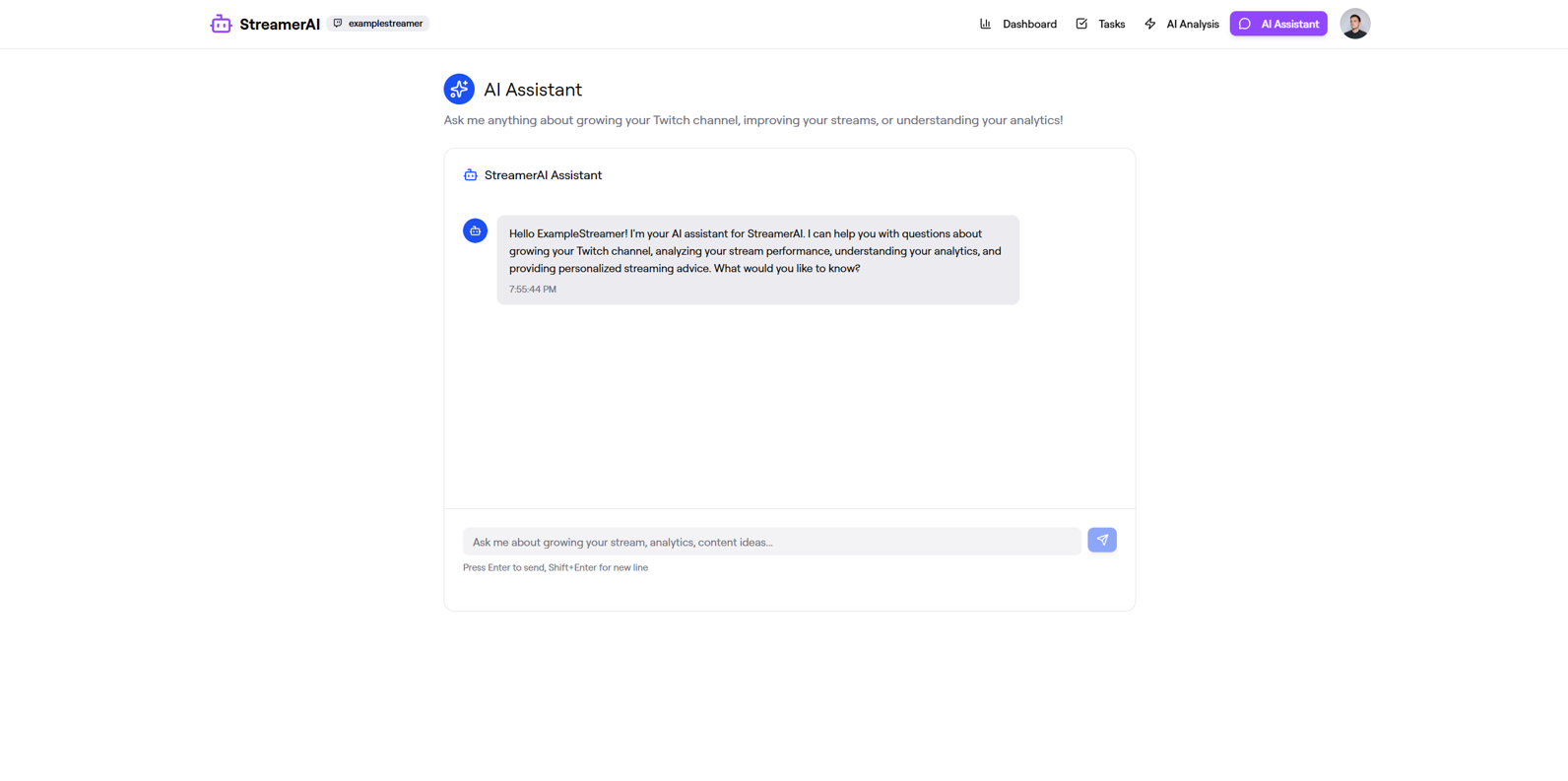
Accessibility
Conclusion
Initial Prototype Screenshots
Changes and New Prompt
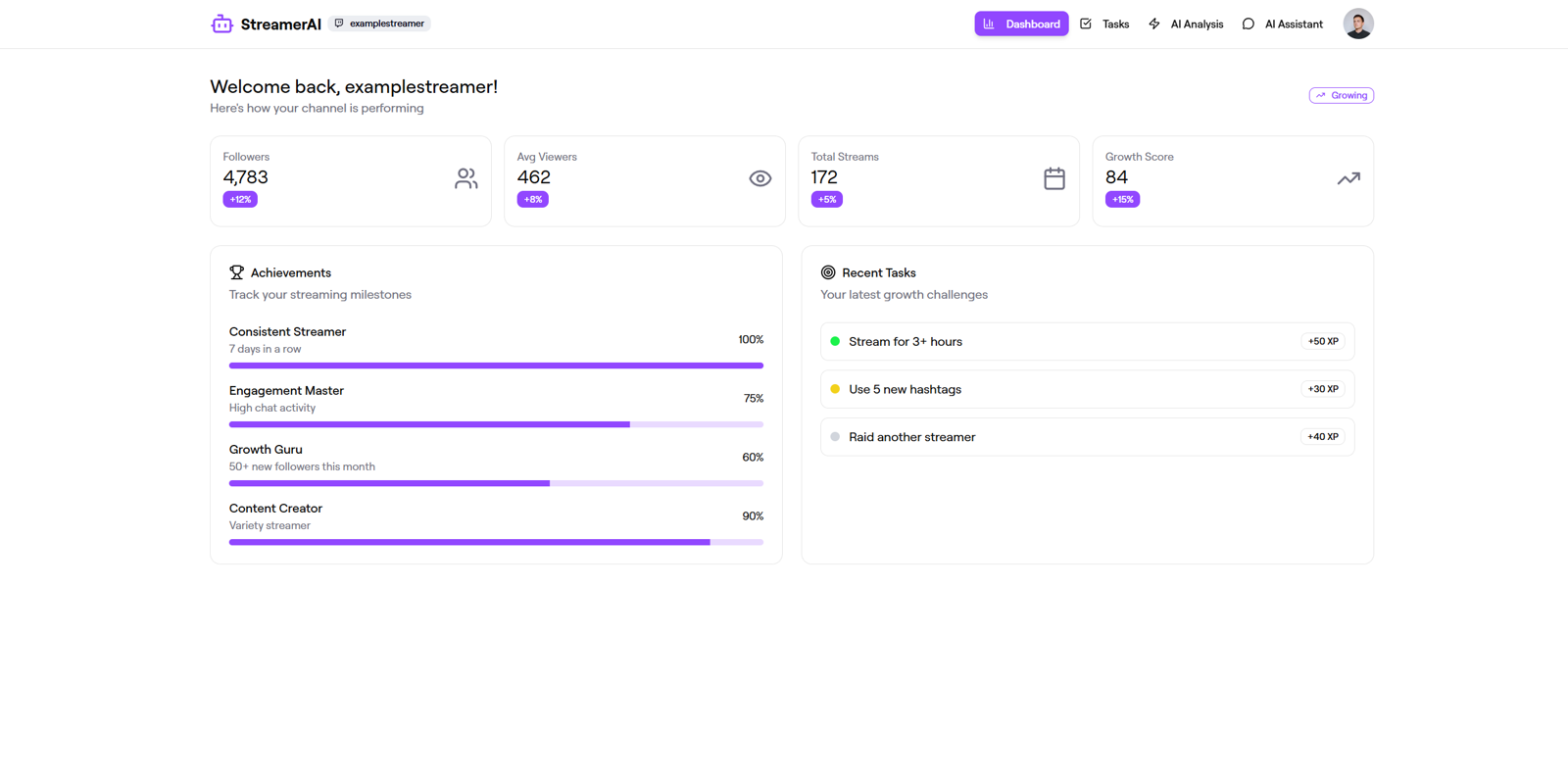
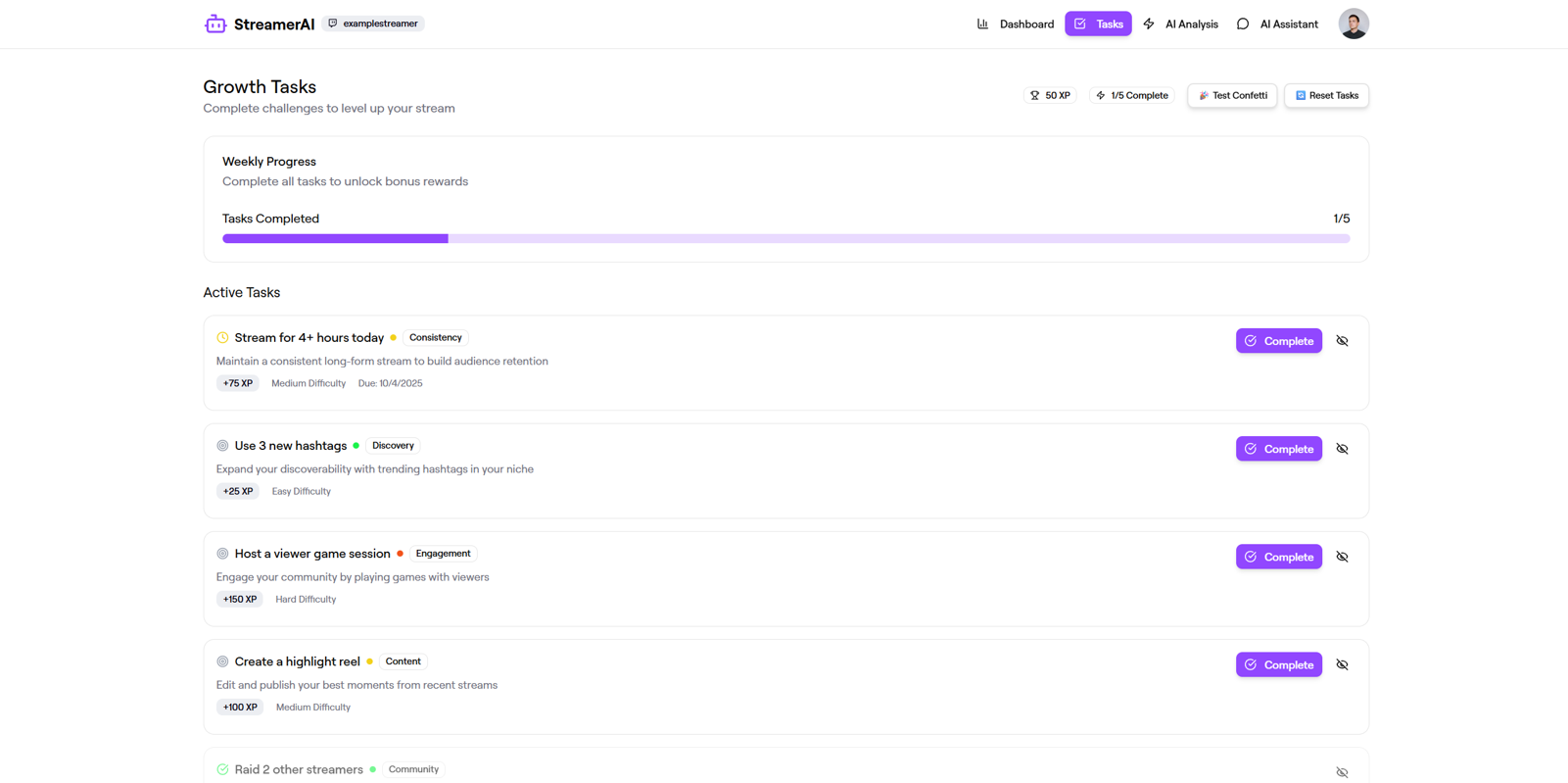
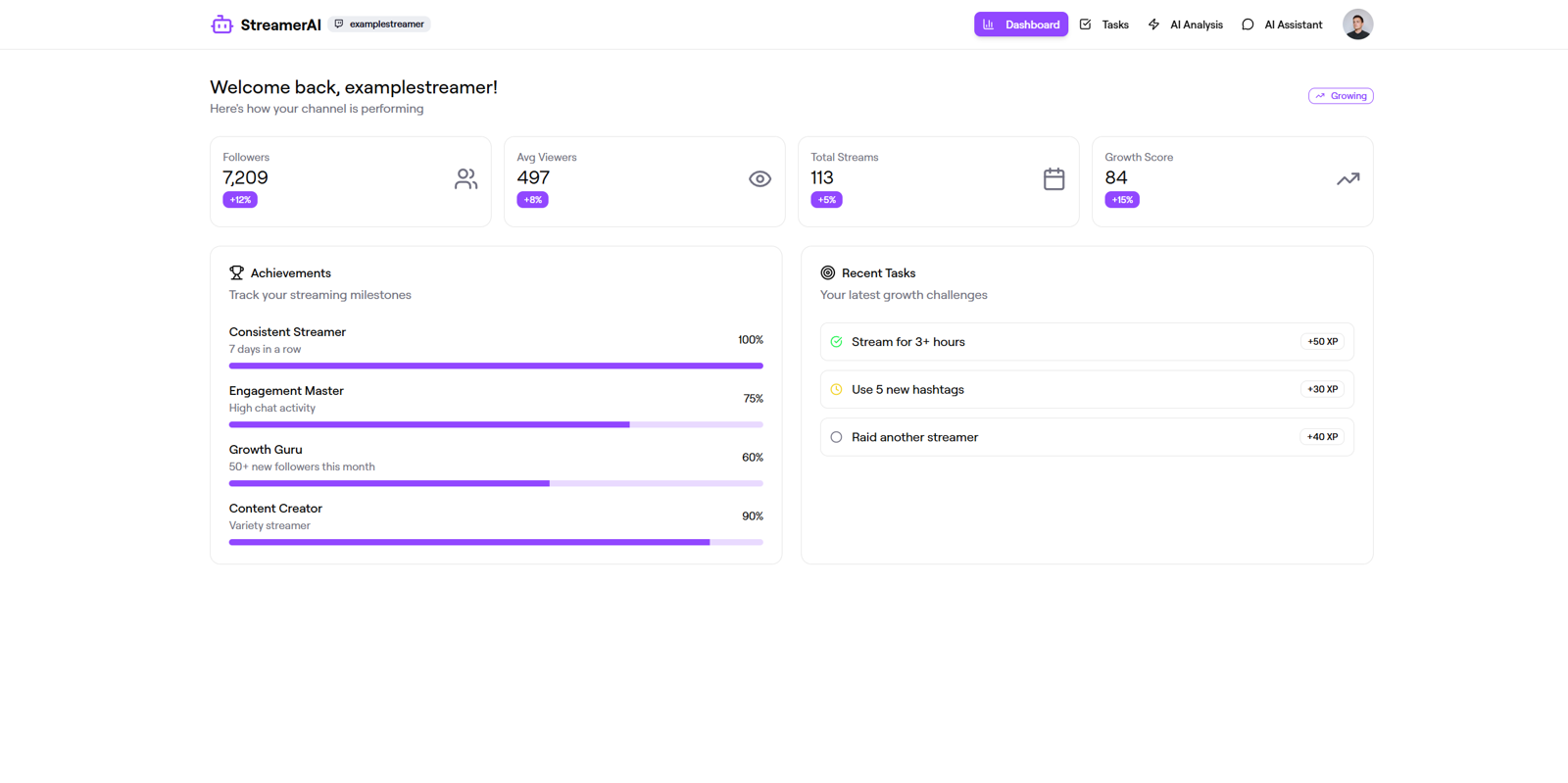
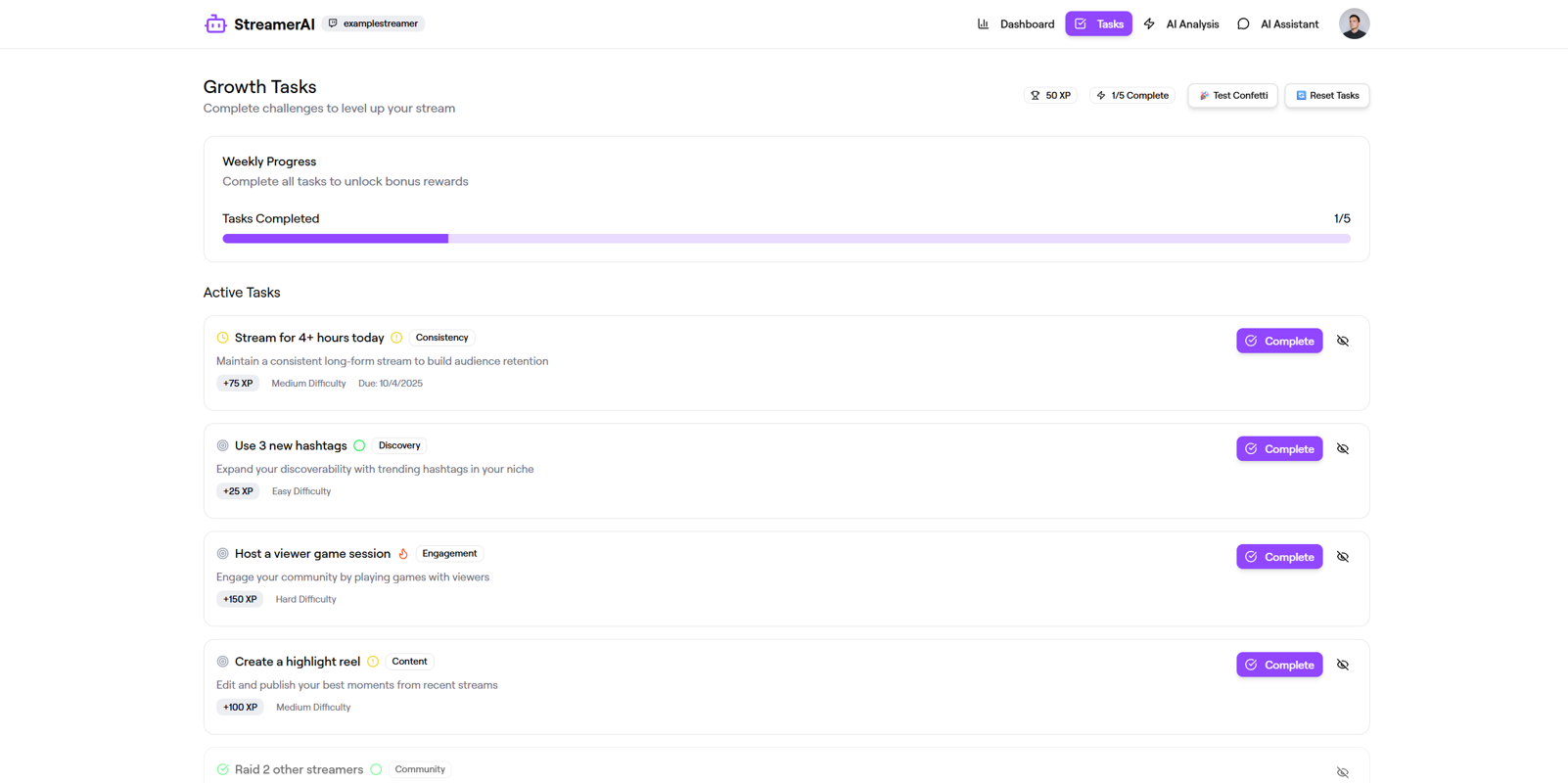
- The chatbot looks good but some parts of the website aren’t particularly accessible for colorblind users.
- Prompt: Can you use icons instead of colored dots in Recent Tasks on the Dashboard page?
- Prompt: Can you use icons instead of colored dots to denote difficulty on the Tasks page?
The highlight of this project for me was crunch time towards the end. While our clients were always friendly and easy to talk to and the presentation went off without a hitch, it was on the day before the presentation that the team's UI designers came together and hammered out all the details in the hi-fi prototypes with incredible efficiency. While it certainly wasn't an easy experience, we discovered that we work in similar styles and that we could get quite a lot of work done fairly quickly as a team.
The app was well-received by the client, so with any luck, it will translate into satisfied users who actually use it to connect with talent scouts, coaches, and each other to advance their careers.
For future projects, I would like to create more interesting graphics with bold colours, and perhaps with a true dark theme rather than what amounts to a dark-coloured frame.
Results
Final Touches
Initial Prototype Screenshot
End of Test Mode
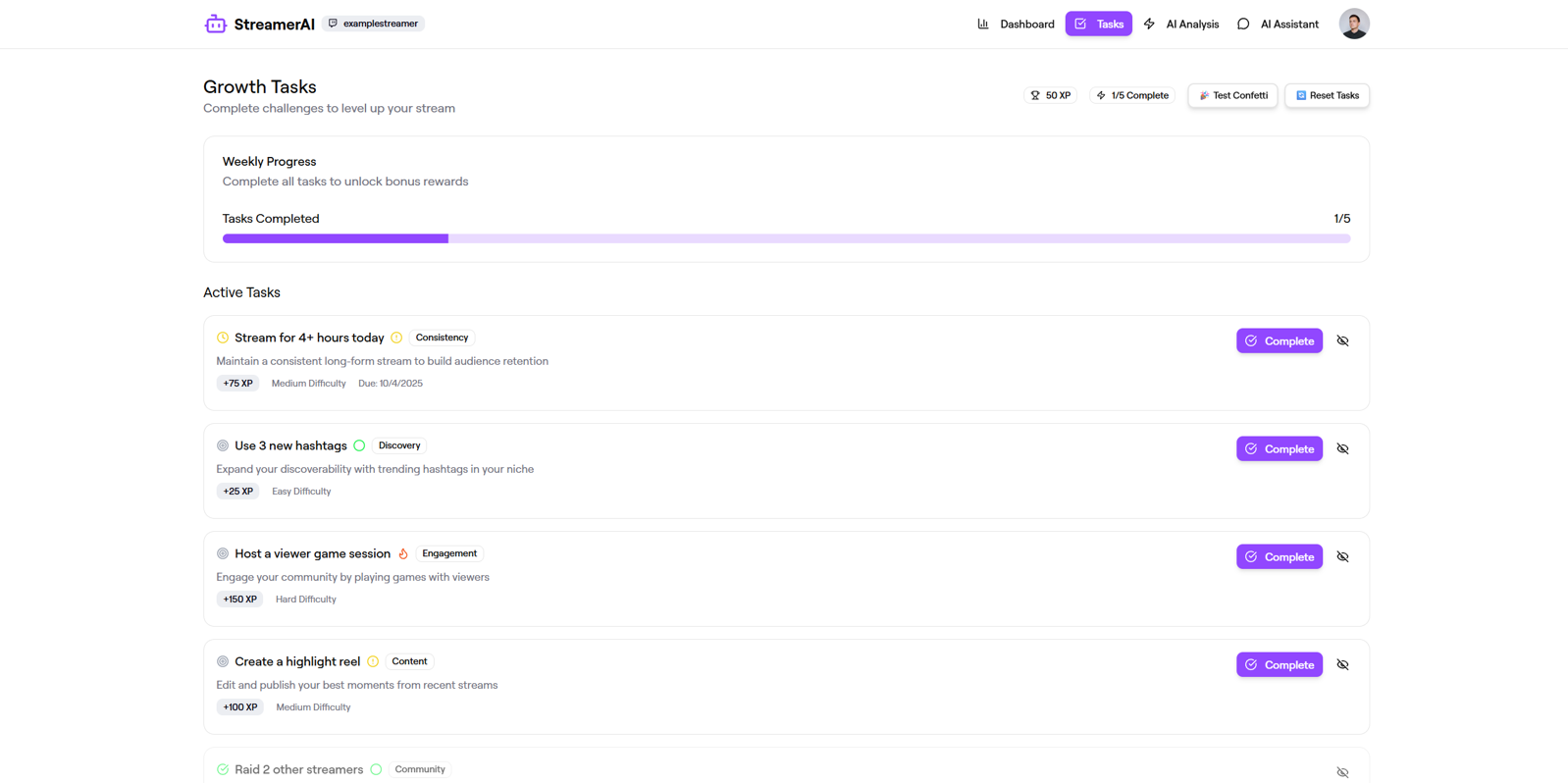
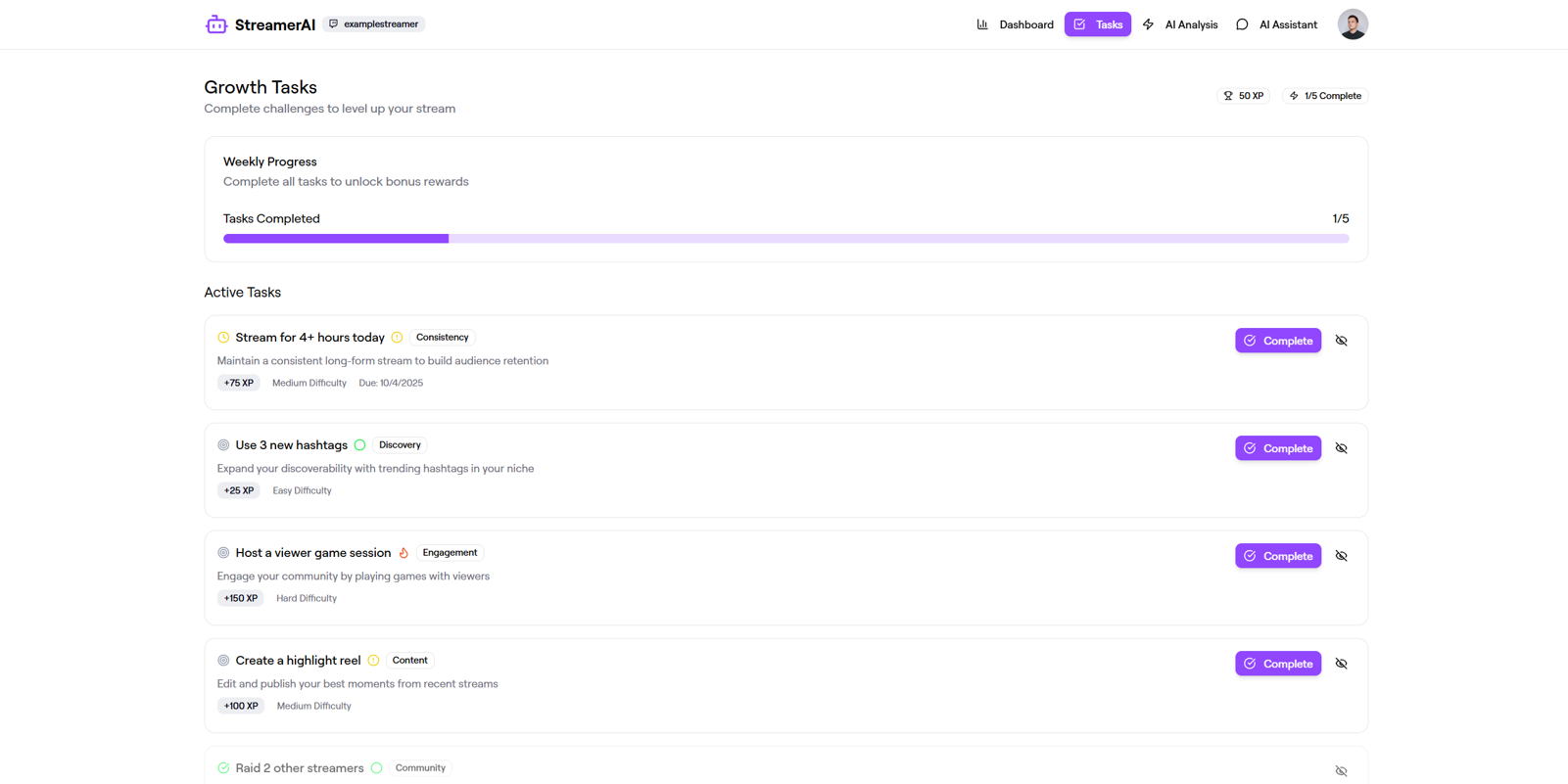
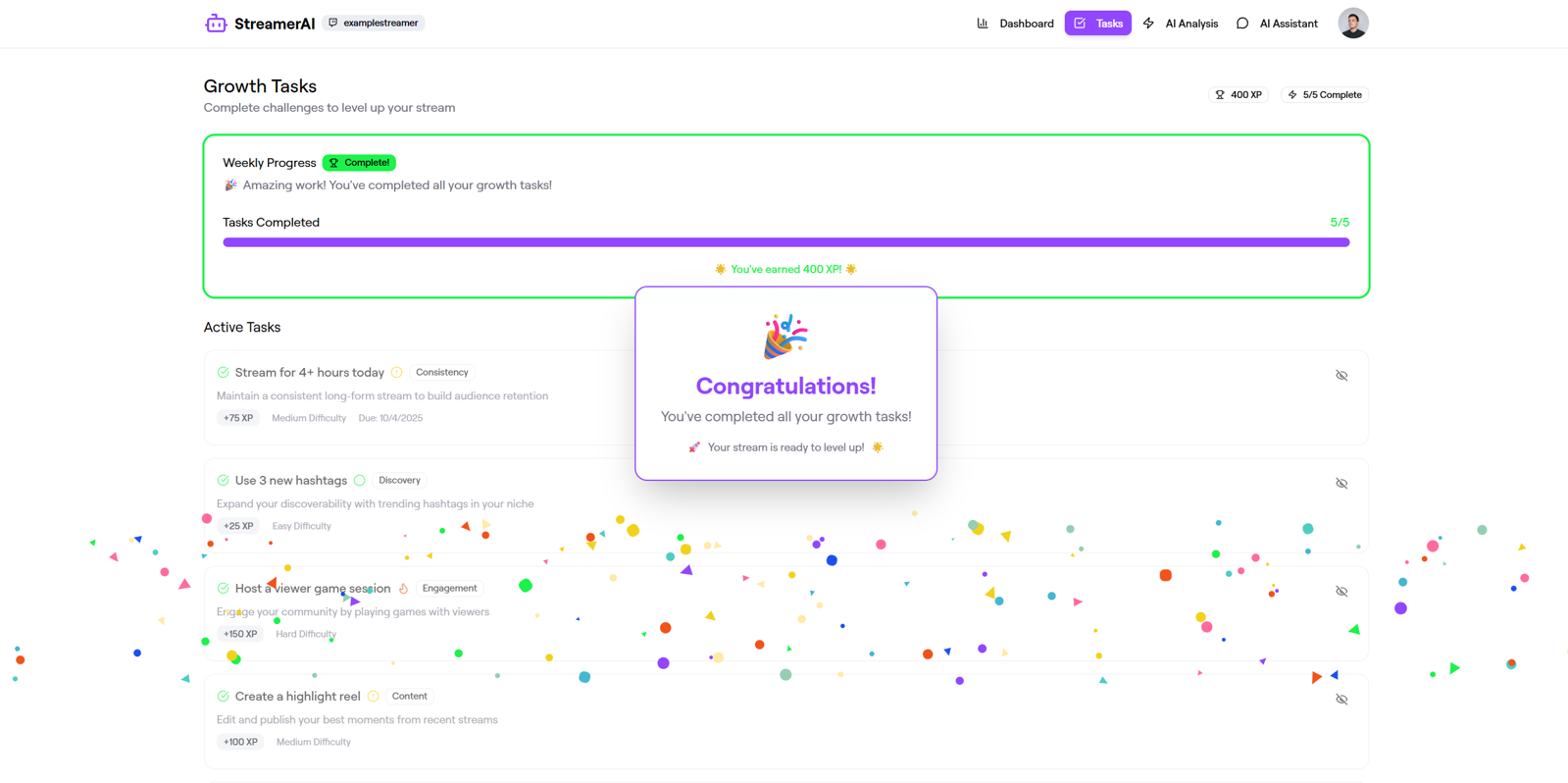
- While it was nice to test confetti and tasks, the launch version should not contain these functions.
- Prompt: Can you remove the "Test Confetti" and the "Reset Tasks" buttons on the Tasks page?
Results
Further Info
Further Info

Prototype
Other Works









Copyright 2021 Luke Yin. All rights reserved.